Home Blog Page 7

What is Cisco AI? Benefits, and Examples

Cisco is a world-famous global technology leader that securely links everything to enable any possibility. They are known for building the networks and technology that keep businesses connected. As artificial intelligence (AI) becomes more important, Cisco has made it a key part of how it works and what it offers customers.

This growing effort is often called Cisco AI. Cisco AI refers to the evolving suite of tools, infrastructure, products, and strategies that Cisco Systems is putting into place so organizations can more securely, efficiently, and intelligently adopt artificial intelligence (AI). Instead of being one single product, “Cisco AI” is a broad umbrella that includes network and security upgrades, AI assistants, AI-ready hardware, and much more.

Key Components of Cisco’s AI Portfolio

Here are the major pillars of what Cisco AI includes today, based on recent announcements and product releases:

1- AI-Ready Infrastructure & Hardware

Cisco has introduced new servers, high-capacity switches, and other networking devices specifically built for AI workloads. These are designed for low latency, high throughput, and strong security. For example, Cisco’s UCS AI compute portfolio, uses servers packed with special chips called GPUs that can perform many calculations at once, making them ideal for training and running AI systems.

2- Network Architecture for the AI Era

Cisco’s “secure network architecture” is meant to handle the exploding demand of data and traffic that AI and IoT generate. This includes unified management platforms, purpose-built switches, and improvements in both performance and security (including quantum-resistance). (Cisco Investor Relations)

3- AI Assistants and AgenticOps

Cisco AI Assistant is one offering. These tools use natural language interfaces and generative AI features to help with diagnostics, automating routine network/security tasks, and assisting in configuration or problem finding. AgenticOps is Cisco’s approach to embedding AI into operations so that workflows can be more automated and intelligent.

4- Security & Risk Mitigation: Cisco AI Defense

As companies adopt AI, new kinds of risks crop up (data leaks, model misuse, etc.). Cisco offers “AI Defense”, which is meant to secure the full lifecycle of AI applications, both in development and deployment, by leveraging Cisco’s existing strengths in network visibility, threat intelligence, etc.

5- Plug-and-Play AI Solutions (AI PODs and Validated Designs)

To reduce the friction of AI adoption, Cisco offers pre-configured “AI PODs” and reference architectures. These are bundles of compute, networking, storage and management tools that are tested and optimized for specific AI workloads. The goal is to let organizations deploy AI infrastructure more quickly and reliably.

6- Investment & Ecosystem Building

Cisco is not just building hardware and software, it is also investing in AI startups, funding programs, and forming partnerships to strengthen its position in the broader AI ecosystem.

Why Cisco AI Matters

Here are some of the major challenges it addresses and the reasons why Cisco’s approach is important:

Scalability & Infrastructure Bottlenecks

AI workloads often need very fast networks, large amounts of data transfer, and powerful computing. Traditional networks can not always keep up. Cisco’s hardware and architecture aims to reduce latency, increase throughput, and ensure the network does not become the weak link. 

Security Risks and Trust 

With AI, there are added risks, like data theft, misuse of models, or vulnerabilities in AI systems. Cisco’s AI Defense and security-embedded designs help mitigate these risks. 

Operational Complexity 

AI adoption tends to create new complexity (for deployment, performance tuning, monitoring). The AI Assistants, AgenticOps, and unified management platforms are meant to simplify that: automate routine tasks, surface insights, and help with diagnostics.

Time-to-Value and Lower Risk

By offering validated designs, AI PODs, and plug-and-play solutions, Cisco helps organizations avoid mistakes, reduce trial-and-error in setting up AI infrastructure, thereby accelerating adoption while reducing risk. 

Challenges & Considerations

Even with Cisco’s advances, there are several things organizations have to watch out for:

  • Cost and Investment: High-performance AI infrastructure (servers, switches, etc.) often demands significant capital. Plus, skill sets (network engineers, AI ops specialists) must be maintained.
  • Data Privacy & Compliance: AI, especially when dealing with sensitive data, must satisfy regulatory requirements (privacy, security, etc.). Cisco’s solutions include security layers, but organizations still need to do their due diligence.
  • Interoperability & Integration: Many enterprises already have existing systems and networks. Integrating new AI-ready architectures without causing disruption is non-trivial.

Ethical & Responsible Use: Ensuring AI models are fair, safe, and aligned with ethical principles is crucial. Cisco claims to follow a Responsible AI framework, which helps. (Cisco Newsroom)

What is Ahead for Cisco AI

Looking forward, here are areas where Cisco is likely to push further:

  • More automation and intelligence in network operations: tools that predict issues before they happen, self-healing networks, adaptive routing, etc.
  • Expanding generative AI user interfaces, as seen with AI Canvas and AI Assistants, to make IT and security operations more conversational and easier to manage.
  • Continued investment in edge AI: handling inference workloads close to where data is generated (at the network edge), reducing latency and bandwidth.
  • Even greater integration of AI in security, observability, and compliance monitoring. Threats are evolving fast, so tools to detect model poisoning, adversarial attacks, etc., will be more in focus.
  • Broader ecosystem growth: more partnerships, startup collaborations, software/hardware co-innovations.

Bottom Line

Cisco AI is not just a buzzword, it is Cisco’s holistic strategy to enable enterprises to adopt AI safely, effectively, and at scale. It combines advanced hardware, secure network architectures, generative and assistive tools, automation, and ecosystem investment. For organizations looking to leverage AI, Cisco offers options that cover everything from infrastructure to operations, with security and manageability built in. 

Top Skill in Design Thinking Leadership

0

When most people hear the word design, they picture style: a sleek phone, a beautiful chair, an app that looks great on a screen. But great design is not just about how something looks; it is about how it works and how it makes people feel. The satisfaction we get from a product usually comes from how quickly and enjoyably it delivers the value we are seeking, not simply from its appearance. This is where Design Thinking shines: it is a process that digs beneath surface aesthetics to uncover real human needs. And at the heart of that process, guiding every brainstorm and prototype, is the most essential skill for a design thinking leader: empathy.

Why Empathy Is Non-Negotiable

At its core, design thinking begins with understanding the people you are designing for. Without empathy, teams risk solving the wrong problem or creating solutions no one wants. An empathetic leader ensures that real human needs stay front and center, even when deadlines loom or budgets tighten.

Empathy allows leaders to:

  • Uncover hidden insights. Instead of relying on surveys alone, empathetic leaders watch how people behave, listen to their frustrations, and pick up on subtle cues. These details often reveal needs that users cannot articulate themselves.
  • Create psychological safety. Teams innovate when they feel heard. A leader who genuinely values each voice makes it safe to share unfinished ideas, admit missteps, and experiment.
  • Empathy is not just directed outward to users; it also applies inward to colleagues and stakeholders. Leaders who can see issues from multiple angles broker better decisions and reduce conflict.

From Theory to Action

Consider a hospital designing a new patient-check-in experience. A purely analytical leader might focus on efficiency metrics, shorter wait times, streamlined forms. An empathetic design thinking leader digs deeper: 

What anxiety do patients feel before surgery? 

How does the physical space influence stress? 

That understanding can lead to solutions like private waiting pods, real-time updates, or soothing visual cues, changes that improve the human experience, not just the numbers.

Another example is global tech companies creating products for emerging markets. Leaders who empathize with users facing unreliable internet or limited literacy design tools that work offline or include visual instructions. Without empathy, those opportunities would be missed.

Cultivating Empathy as a Leadership Skill

Empathy is not a soft, “nice-to-have” trait; it is a practice you can sharpen:

  1. It starts with active listening: setting aside your own agenda and giving full attention to what users or teammates are really saying.
  2. It grows through observation in context: spending time where your product or service is used and noticing how people actually behave, not just what they claim to do.
  3. And it deepens with reflection and humility: accepting that you do not have all the answers and approaching each problem with curiosity instead of ego. Empathy thrives when leaders approach problems with curiosity, not ego.

Key Empathy Building Methods

To understand users deeply during the Empathize phase of Design Thinking, leaders and teams can use several practical methods that move beyond guesswork and assumptions.

  • Empathy interviews are one of the most effective tools. Instead of following a strict questionnaire, these conversations should feel open and natural. Ask “why?” repeatedly, invite storytelling, and pay attention to body language or pauses. Recording the session or having someone take notes allows you to stay fully present and focused on the person speaking.
  • Immersion and observation: This involves watching users in their own environment or inviting them to interact with your product while you quietly observe. By seeing how people actually behave, rather than just listening to what they say, you can uncover hidden needs and pain points that they might not even recognize themselves.
  • Engament with extreme users is another valuable technique. These are people whose needs are far above or below the average. Because their challenges are amplified, they often reveal problems and creative workarounds that typical users would never think to mention.
  • A habit of constant curiosity also strengthens empathy. Use the “What–How–Why” framework to guide your reflections: 

What actions did you observe? 

How did the user perform them, easily or with difficulty? 

Why might they feel or think a certain way? 

This process turns raw observation into meaningful insight.

  • Finally, empathy mapping helps teams share and visualize what they have learned. An empathy map organizes what a user says, thinks, does, and feels into a single, collaborative picture. It builds a common understanding across the team and ensures that design decisions are firmly rooted in the user’s real experiences.

The Ripple Effect

When empathy drives leadership, innovation follows naturally. Teams feel empowered to challenge assumptions. Customers sense they are truly understood. Products and services resonate more deeply with the people they serve. In an age where technology often races ahead of human needs, empathy keeps progress grounded and relevant.

Conclusion

The most important skill for a design thinking leader is not rapid prototyping, data analysis, or even raw creativity, it is empathy. With empathy, leaders inspire collaboration, discover unmet needs, and craft solutions that change lives.

Design thinking is ultimately about designing with people, not just for them. Only a leader rooted in empathy can make that promise real.

Understanding the 7 different types of AI

Artificial Intelligence (AI) is not a single construct, it comes in different types, depending on what the AI can do (its capability) and how it works (its architecture or reasoning style). Understanding these distinctions is key for businesses, engineers, and everyday users who want to know what is possible now and what might come in the future.

Read along as we break down seven types of AI, with examples and practical applications.

The first three types (Narrow AI, General AI, Super AI) are classified by capability. They answer the question: How powerful or broad is this AI?

1- Narrow AI (Weak AI)

This is a type of AI designed for a specific, narrow task. It does not “understand” beyond its scope, but it can outperform humans within its narrow domain.

Examples:

  • redicts what you might like but can not book your flight.

Narrow AI is deeply embedded in our everyday lives. Virtual assistants like Siri and Alexa rely on it to respond to voice commands, while banks deploy it to detect fraudulent activity in real time. It also drives personalized recommendations in e-commerce and media platforms, shaping the way we shop, watch, and engage online. This type of AI powers almost everything we interact with today, from voice assistants to spam filters. Its strength lies in efficiency and accuracy, but its limitation is clear: it cannot generalize across different tasks. In other words, Narrow AI is powerful within its lane, yet remains confined to it.

2- General AI (AGI – Artificial General Intelligence)

A hypothetical type of AI that can think, learn, and apply knowledge across any domain, like a human. It would have reasoning, problem-solving, and adaptability at human-level or beyond.

Examples:

  • Currently none. It exists only in theory and science fiction (like Jarvis in Iron Man).

AGI could one day act like a doctor’s assistant, diagnosing many diseases with full context, or as a universal personal helper that manages every part of your daily life. It is seen as the “holy grail” of AI. If created, it could change everything but it also comes with big risks and ethical questions, since it would think and learn almost like a human.

Now most people would wonder: is ChatGPT, Claude and the likes not generative Ai?

The answer is no. ChatGPT may feel almost human in conversation, but it is not AGI. It belongs to the category of Narrow AI, designed to perform language-related tasks with impressive fluency. While it can generate essays, summarize research, write code, or even mimic different writing styles, it does not actually “understand” the way humans do.

Unlike AGI, ChatGPT cannot reason across all areas of life, hold real-world awareness, or make independent decisions. Its strength lies in recognizing patterns in massive amounts of data and producing useful outputs within that narrow domain. In other words, ChatGPT is an advanced example of Generative Narrow AI, powerful yet limited.

3- Superintelligent AI (ASI)

An AI that surpasses human intelligence in all areas: creativity, emotional intelligence, strategy, science, and beyond. None exist yet. It is purely hypothetical. Futurists like Nick Bostrom discuss ASI as a potential existential risk.
Imagine an AI not just smarter than humans in one field, but vastly ahead of us in every possible way, from science to strategy to creativity. In theory, such a system could solve global crises like climate change, or unlock breakthroughs in medicine and clean energy far faster than humans ever could.

But if AI becomes more intelligent than us, how do we make sure its goals align with human values? That uncertainty is why ASI is both exciting and deeply concerning. While it could change life for the better, it also raises the toughest questions about control, safety, and ethics.

Now let us shift to how AI systems actually work (functionality-based classification).

4- Reactive AI

Reactive AI is the simplest type of artificial intelligence. It responds only to the current situation without storing past experiences. Think of it as a mirror—it reacts to what it sees but does not learn or adapt. For example, IBM’s Deep Blue chess computer could evaluate millions of possible moves in the moment, but it had no memory of past games. Similarly, spam filters can block an email instantly but do not learn beyond their preset rules. Reactive AI is fast and reliable but limited; it cannot improve with experience.

5- Limited Memory AI

Limited Memory AI builds on the reactive model by learning from historical data. It can store information temporarily and use it to make better decisions over time. This is the type of AI used in self-driving cars, which observe lane markings, monitor the speed of nearby vehicles, and retain this information to adjust accordingly. Other examples include recommendation engines like Netflix or YouTube, which analyze your viewing history to suggest new content. Limited Memory AI is more adaptive and powerful than reactive AI, but its memory is still task-specific and not general.

6- Theory of Mind AI

Theory of Mind AI is still under development, but it represents the next leap. It refers to systems that can understand human emotions, beliefs, intentions, and social interactions. Imagine an AI assistant that not only hears your words but also interprets your mood, recognizes frustration in your tone, or adapts to your body language. In healthcare, this could mean a diagnostic AI that responds with empathy as well as accuracy. While researchers are making progress, we do not yet have a fully functional Theory of Mind AI, it is more of a vision than a reality today.

7- Self Aware AI

Self-Aware AI is the most advanced and hypothetical stage. These systems would possess consciousness, self-reflection, and awareness of their own existence. They would not only process information but also form their own beliefs, desires, and goals. This type of AI does not exist yet and is more of a philosophical and ethical debate than a technical reality. If achieved, self-aware AI could revolutionize everything from science to governance—but it also raises serious risks about control, safety, and alignment with human values

Conclusion

So, what are the 7 types of AI?

  • By capability: Narrow AI, General AI, and Superintelligent AI.
  • By functionality: Reactive AI, Limited Memory AI, Theory of Mind AI, and Self-Aware AI.

The first three capture the big picture of what AI can become, from today’s tools to future AGI and beyond. The last four explain how AI systems actually function, ranging from simple reaction-based models to the possibility of machines with self-awareness.

As AI continues to evolve, most of what we use will remain Narrow AI, driven mainly by Limited Memory systems that can learn from data and adapt. The higher levels, such as Theory of Mind and Self-Aware AI, remain on the horizon, shaping both the opportunities and the ethical debates about the future of intelligence.

What Are the 4 C’s of Design Thinking?

0

Suppose you had to solve a problem not by rushing to an answer, but by stepping into someone else’s shoes, seeing the world through their eyes, and then building solutions that truly fit their needs. That is the heart of Design Thinking: a human-centered approach where you empathize, imagine, test, and refine until ideas come alive.

But great tools and sticky notes are not enough. What really powers the process are four timeless skills: the 4 C’s that act like fuel for innovation. They are:

  1. Creativity
  2. Critical Thinking
  3. Collaboration
  4. Communication

Let us break each one down.

Why the 4 C’s Matter

The 4 C’s are not just buzzwords. Research shows they are central to effective problem-solving, innovation, and adaptability in rapidly changing work and learning environments. For example, a study on playful Design Jams found that participants improved their creativity, critical thinking, communication, and collaboration during the process. Another PubMed article about 21st-century skills highlights how institutions that assess and promote these skills (the 4 C’s) help learners become more prepared for work and life. 

What Each “C” Means in Design Thinking

Here is how each of the 4 C’s works in the context of Design Thinking:

CRole in Design Thinking
CreativityGenerating original ideas Thinking outside standard solutionsImagining what does not yet exist. Ideating and coming up with many possible directions or prototypesCreativity drives the variety and novelty of ideas.
Critical ThinkingEvaluating ideas, spotting flaws or opportunities, reflecting on what works and what does not. You use this especially during definition, testing, and iteration phases to decide which ideas to prototype, how to improve them, and how to judge success.
CollaborationWorking with others including teammates, stakeholders and users, sharing perspectives and combining strengths. Design Thinking is not solo work. Teams need to listen, help each other, and build on each other’s insights.
CommunicationClearly sharing ideas, listening, presenting feedback, explaining prototypes or test results. Good communication makes sure everyone understands the problem, what is being tested, and why certain directions are chosen.

How They Interact

One of the strongest lessons from research is that the 4 C’s do not work in isolation. They overlap a lot:

  • You cannot evaluate (critical think) without communicating what you see.
  • Creative ideas often come from collaborative brainstorming.
  • Collaborative work demands both creativity (to generate ideas) and critical thinking (to pick what to test).

For instance, the paper Creativity, Critical Thinking, Communication, and Collaboration: Assessment, Certification, and Promotion of 21st Century Skills emphasizes that teaching any single “C” well normally involves the others. 

How to Use the 4 C’s in Real Design Thinking Projects

Here are practical ways to bring the 4 C’s into your work or team process:

  • During Ideation: let everyone share all sorts of ideas (creativity), pick the best ones together (critical thinking), work as a team (collaboration), and make sure each idea is explained clearly (communication).
  • Prototype & Test: Build quick prototypes, show them to others, get feedback. You need communication (to listen and to share), collaboration (work in pairs or teams), creativity (in how you make prototypes), and critical thinking (in what changes to make next).

Feedback & Iteration: After testing, reflect on what worked and why (critical thinking). Decide as a team what to change (collaboration), come up with new ideas (creativity), and make sure everyone understands the next steps (communication).

Benefits & Challenges

Benefits

  • Better solutions: Using the 4 C’s tends to lead to innovations that meet actual needs better, because you are not only generating lots of ideas but also evaluating them, getting feedback, and refining.
  • More people involved and invested: Collaboration and communication help bring more voices in, which increases ownership and often leads to more diverse, useful ideas.

Adaptability: In complex, changing contexts, having strong critical thinking + creativity helps teams pivot when needed.

Challenges

  • Balancing exploration vs evaluation: Teams may spend too much time generating ideas (creativity) without enough evaluation (critical thinking), or vice versa.
  • Communication breakdowns: If people do not express ideas clearly or do not listen, collaboration suffers.

Groupthink: Collaboration can sometimes suppress dissent; people may choose to stay safe rather than explore bold, creative ideas.

Conclusion

The 4 C’s: Creativity, Critical Thinking, Collaboration, and Communication, are indispensable pillars in Design Thinking. They help turn big, vague problems into actionable, tested—and often innovative—solutions. If you want your design process or teams to be more effective, paying attention to cultivating all four, and noticing how they support each other, can make a big difference.

Advanced Prompt Techniques for ChatGPT

What Is Prompt Engineering?

Prompt engineering refers to the art and science of crafting inputs (prompts) to large language models (LLMs) like ChatGPT so that they produce desired, high-quality outputs. Since LLMs behave based on how they are prompted, the structure, specificity, and context of the prompt have a huge impact on what you get back.

Findings from a study titled The Prompt Report from Cornell University show that there are dozens of identified techniques and best practices for prompting that affect effectiveness, reliability, and usability. 

Why Advanced Techniques Matter

Basic prompting (just stating a question or command) works reasonably well for many tasks. But when you want higher accuracy, creative or domain-specific output, or reliable reasoning (e.g. legal, academic, technical tasks), more advanced techniques can make the difference. They help avoid common problems:

  • Hallucinations (made-up or incorrect content)
  • Vague or off-topic responses
  • Too generic or superficial outputs

Inconsistent style or format

Key Advanced Techniques

Here are several advanced prompt engineering techniques that improve output quality with ChatGPT or similar LLMs.

1- Chain-of-Thought Prompting (CoT) & Zero-Shot Chain-of-Thought

One simple trick to get better answers from AI is to ask it to “think out loud” before giving the final answer. For example, instead of just asking “What is 27 × 43?”, you add “Let us think step by step.” This makes the model explain its reasoning, which usually gives more accurate results on multi-step problems like math or logic. Probably the strongest example is Large Language Models are Zero-Shot Reasoners, where simply adding “Let’s think step by step” boosted performance on benchmarks. Researchers call this Zero-Shot Chain-of-Thought because you do not give the AI any examples, you just tell it to reason step by step.
There is also an even smarter method called “Plan-and-Solve”. Instead of diving straight into the answer, you first tell the model to make a plan (like breaking a big problem into smaller parts). Then, in the next step, you ask it to solve each part of the plan one by one. This approach reduces mistakes, because the model is less likely to skip important steps. 

2- Few-Shot Prompting

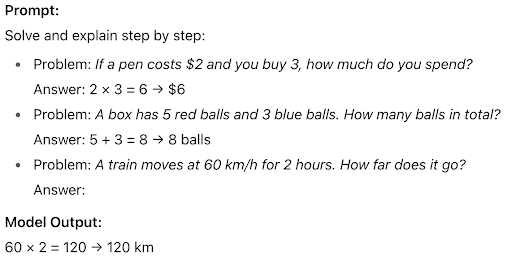
Few-Shot prompting is about providing a few examples of input-output pairs so the model has a pattern to follow. This works well when you want a specific format or style of output. 

AI prompt engineering example showing step-by-step math problem solving with model output.

3- Prompt Chaining

Breaking down complex tasks into smaller ones. Instead of asking ChatGPT to produce a polished final report in one go, you might first ask for an outline, then request sections of content, then ask for refinements. This reduces cognitive load and usually yields higher quality. 

4- Role Prompting / Persona Framing

Assigning a role or persona to the model helps adjust tone, style, terminology, and level of detail.  This is a powerful control mechanism. An example of such a prompt is: 

    “Picture yourself as a doctor in the consultation room. A patient asks, ‘How does this AI tool actually help with my diagnosis?’ How would you walk them through the process step by step?”

    5- Retrieval-Augmented Generation (RAG)

    For tasks that require real time or factual information, RAG means (“retrieval-augmented generation”) to integrate external knowledge bases or documents. This ensures the model has current and accurate data to pull from rather than relying solely on its pretraining. It is ideal for generating up-to-date market reports or fact-checked responses.

      Watch this video to learn the step by step functions to implementing RAG

      6- Iterative Prompting

      After getting an initial response, ask the model to critique or refine it (point out weaknesses, expand, correct). This loop can help produce more polished outputs. Also helpful when the first response is incomplete or has gaps. 

        For instance: You assign an essay, the AI produces a draft, you notice it lacks examples, the AI revises with examples, the process repeats until you reach a polished, high-quality essay.

        7- Prompt Pattern Catalogs

        Prompt pattern catalogs are like ready-made templates you can reuse. Research shows that these patterns help solve common problems faster, just like design patterns in software. They give you proven structures for writing prompts so you don’t always have to start from scratch.

        8- Specify Output Format & Constraints

        When writing prompts, be very clear about the format you want. That means spelling out details like bullet points, tables, word limits, tone, or audience. These constraints guide the AI so it does not drift off-topic or get too wordy. For example, if you ask for a 150-word summary, or exactly 3 pros and 3 cons, the model is more likely to deliver the structure you expect.

        Common Pitfalls & How to Avoid Them

        • Vague terms or conflicting instructions confuse the model.
        • Trying to include too much in a single prompt: many requirements, constraints, style requests could cause errors or degrade performance.
        • Not supplying enough background context leads to generic or wrong context.
        • Ignoring Model Limits: Token limits, knowledge cutoff dates, or model bias mean you need to adapt prompts accordingly.

        Using the first prompt you try without testing variations or refining. Often small tweaks yield big improvements.

        Applying These Techniques with ChatGPT

        Here are some practical tips when you’re using ChatGPT:

        • Start prompts with a role or context: “You are an expert in X…”, “As a teacher, explain to a beginning student…”
        • Use “step-by-step” instructions for reasoning tasks. “List steps, then conclude.”
        • When you care about accuracy, ask ChatGPT to generate and verify sources, or say “If you are not sure, say ‘I do not know’”.
        • Provide examples of what you want. If you want a summary in bullet points with 3 items, show one.
        • Use follow-ups to refine: Ask for shorter, more detailed, more formal, or more simplified versions.
        • For domain-specific tasks (legal, medical, technical, etc.), combine RAG with domain knowledge or specialized datasets

        Conclusion

        Mastering prompt engineering means going beyond giving simple commands. It is about writing prompts that are structured, detailed, and aware of the context. Using the right techniques can make ChatGPT’s answers more accurate, clear, and useful. To do this, always set clear limits for the output, give enough context and examples, and keep refining until you get what you want. Things are also shifting toward ethics. For example, Anthropic’s recent guide suggests letting the model say “I don’t know” and verifying claims which makes it more reliable. As AI improves, combining these techniques with domain knowledge, and ethical rules will be even more important.

        Best Design Thinking Books to Read in 2025

        The design world is moving faster than ever. With Artificial Intelligence (AI), immersive technologies, and human-centered innovation reshaping industries, staying relevant in product design and UX means more than just keeping up with tools, it requires sharpening your mindset. The world of product design and UX is constantly evolving, and to stay ahead of the curve and create truly exceptional user experiences, it is essential to keep learning and growing.

        One of the best ways to do this is by diving into insightful and thought-provoking books. The right books do not just teach you methods, they challenge assumptions, expand perspectives, and inspire creativity in ways that directly shape how you design for people.

        As we step into 2025, here are the must-read Design Thinking books that every innovator, creator, and problem-solver should have on their shelf. These works span from timeless classics to fresh perspectives, each offering unique insights for building better, more inclusive, and future-ready experiences.

        The Design of Everyday things by Don Norman

        The Design of Everyday things by Don Norman

        Often called the “Grand Old Man of UX Design,” Don Norman’s classic work is essential reading for anyone interested in how design shapes daily life. From something as simple as a door to complex software, Norman shows how good design empowers users while poor design creates frustration. The book challenges readers to see the world differently and highlights the principles that make products intuitive and usable. Even in 2025, it remains one of the most influential guides to human-centered design.

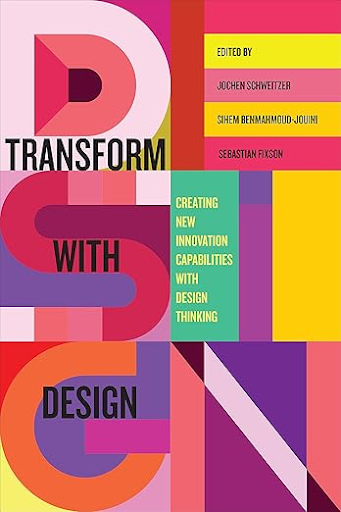
        Transform with Design (Edited by Jochen Schweitzer, Sihem BenMahmoud-Jouini & Sebastian Fixson)

        Transform with Design (Edited by Jochen Schweitzer, Sihem BenMahmoud-Jouini & Sebastian Fixson)

        Published in 2023, Transform with Design explores how organizations across industries have adopted design thinking to build new innovation capabilities. Through real-world stories, the book highlights the challenges of embedding design practices within traditional structures and cultures, showing how leaders navigated obstacles like resistance, ambiguity, and risk. Each chapter offers lessons from professionals who implemented design thinking in practice, making it a valuable resource for innovators looking to transform their organizations. In 2025, it stands out as a practical and timely guide to design-driven change.

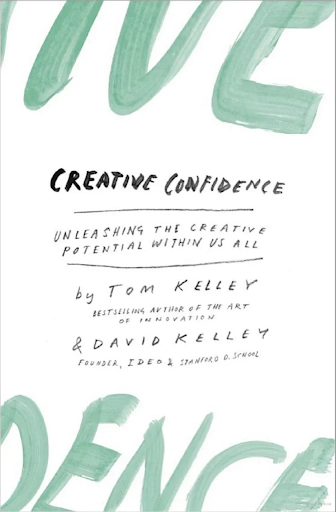
        Creative Confidence by Tom & David Kelley

        Creative Confidence by Tom & David Kelley

        Too often, people believe creativity is only for the “creative types,” but the Kelley brothers— founders of IDEO and leaders at Stanford’s d.school, prove otherwise. In Creative Confidence, they share stories and strategies that show everyone has the potential to innovate, both at work and in life. The book is filled with inspiring examples that encourage readers to overcome fear, unlock their imagination, and approach problems with bold, human-centered solutions. In 2025, it remains a timeless guide for building the confidence to create and succeed.

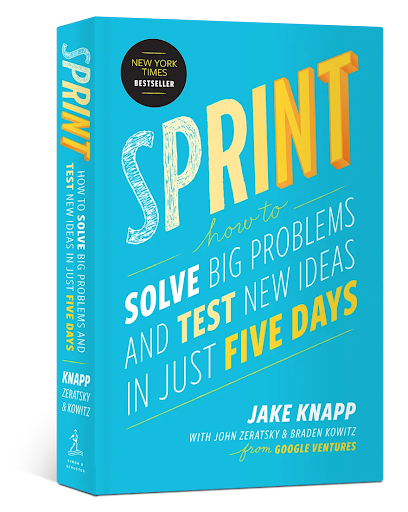
        Sprint: How to Solve Big Problems and Test New Ideas in Just Five Days by Jake Knapp, John Zeratsky & Braden Kowitz

        Sprint: How to Solve Big Problems and Test New Ideas in Just Five Days by Jake Knapp, John Zeratsky & Braden Kowitz

        A New York Times bestseller, Sprint introduces the five-day process developed at Google Ventures for tackling big problems and testing ideas quickly. The authors show how teams can move from challenge to prototype to customer feedback in just one week, saving time and resources while reducing risk. With case studies from startups to Fortune 100 companies, it proves that innovation does not have to be slow or expensive. In 2025, it remains a go-to manual for teams looking to solve problems faster and smarter.

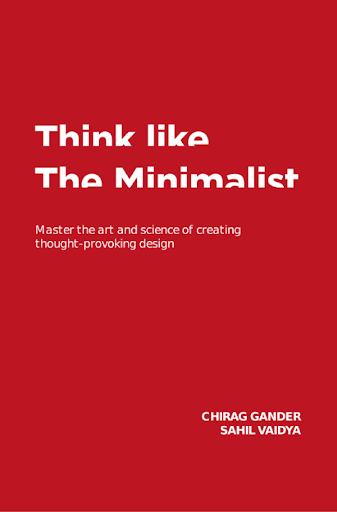
        Think Like The Minimalist by Chirag Gander & Sahil Vaidya

        Think Like The Minimalist by Chirag Gander & Sahil Vaidya

        Minimalism meets design strategy in this fresh take on creative problem-solving. Drawing from their success with The Minimalist movement, Gander and Vaidya introduce a four-step toolkit that helps teams strip away clutter and focus on clarity, impact, and intent. Blending philosophy with practical techniques, the book empowers designers, marketers, and innovators to create bold yet simple ideas that resonate. In 2025, it serves as a reminder that sometimes less truly is more.

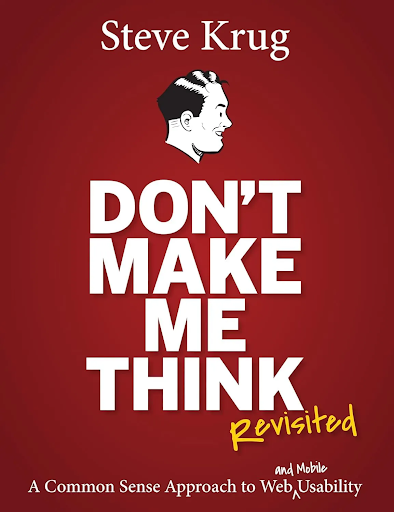
        Don’t Make Me Think, Revisited by Steve Krug

        Don’t Make Me Think, Revisited by Steve Krug

        Since its first release in 2000, Steve Krug’s classic has been the go-to guide for anyone designing digital experiences. With humor, clarity, and practical wisdom, Krug explains the principles of intuitive navigation and information design in a way that feels obvious once you have read it. The updated edition adds fresh examples and a chapter on mobile usability, making it even more relevant today. In 2025, it remains required reading for web designers, developers, and anyone who wants to create products that people love using without frustration.

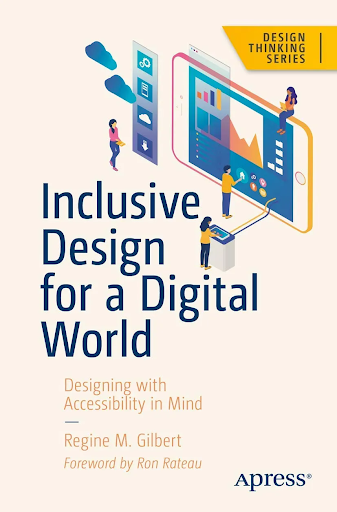
        Inclusive Design for a Digital World by Regine M. Gilbert

        Inclusive Design for a Digital World by Regine M. Gilbert

        Accessibility is more than ramps and elevators: it is about making digital products usable for everyone. In this book, UX professor Regine Gilbert lays out practical steps for creating apps, websites, and technologies that welcome people of all abilities. Covering issues like visual, motor, and hearing impairments, the book highlights how poor design can unintentionally exclude entire groups of users. With guidance on WCAG 2.1 standards, best practices, and emerging tech like VR and AR, it serves as both a call to action and a toolkit for building inclusive digital experiences. In 2025, it remains an essential guide for designers committed to equity and access in technology.

        Designing products that everyone can use is not just good practice, it is essential. In this book, Regine Gilbert offers a clear guide to making digital tools like apps and websites accessible to people with different abilities. She explains the principles of inclusive design, outlines common barriers faced by users with disabilities, and shares practical strategies to fix them. With tips on standards, usability testing, and even new tech like VR and AR, the book shows how to build digital experiences that truly include everyone.

        Journey Mapping in Design Thinking: Trends and Best Practices for 2025

        In 2025, customer expectations are evolving at lightning speed. People no longer compare your service only to your competitors, they measure you against the best experience they have ever had, whether that is from a bank, a healthcare app, or their favorite online store. This is where journey mapping, a cornerstone of Design Thinking, becomes indispensable.

        Journey mapping is not new, but its role has become more vital than ever. With AI, predictive analytics, and hyper-personalization shaping every touchpoint, businesses that truly see their customers’ journeys can design solutions that are not just useful, but meaningful.

        What is Journey Mapping in Design Thinking?

        At its core, a journey map is a visual story of the customer’s end-to-end experience with a product, service, or brand. It charts not only what customers do at each step, but also how they feel and what they need.

        In the Design Thinking process: empathize, define, ideate, prototype, test, journey maps live in the empathy and definition stages. They help teams shift from assumptions to human-centered insights, revealing pain points, opportunities, and emotional highs and lows that shape behavior.

        Why Journey Mapping Matters More in 2025

        AI-Driven Personalization Needs Context

        AI has transformed how organizations engage with customers by enabling predictive analytics, recommendation engines, and behavior modeling. In 2025, AI can accurately suggest products, forecast customer attrition, or anticipate demand. However, what AI cannot do alone is explain the “why” behind customer behavior. Algorithms process data points, but they lack the ability to capture the emotions, motivations, and barriers that influence real-world decisions. This is where journey mapping within Design Thinking becomes essential. A well-developed journey map adds a layer of human-centered insight on top of AI-driven outputs, contextualizing data with feelings, intentions, and lived experiences. For example, AI might identify that customers frequently abandon online shopping carts, but journey mapping can reveal the emotional drivers such as frustration with hidden costs, distrust of payment security, or confusion during checkout.

        Hybrid Journeys Dominate

        In today’s marketplace, customer journeys are rarely linear. Instead, they weave across multiple online and offline channels, creating what researchers call hybrid journeys. A customer might first discover a product through social media ads, for example, spotting a sofa on Instagram. Next, they could visit a physical store to test the comfort, compare fabrics, and visualize it in their home. But rather than completing the purchase on-site, they may finalize the transaction on a mobile app or e-commerce site, perhaps motivated by an online-only discount or the convenience of doorstep delivery. This back-and-forth movement reflects modern consumer behavior: digital inspiration, physical validation, and digital conversion. Businesses that fail to recognize this fluidity risk losing customers at critical points of decision-making. For instance, if an app does not sync with in-store inventory, or if online and offline prices are inconsistent, the journey becomes fragmented and frustrating. Critically, mapping these hybrid flows is no longer optional. According to Walmart’s annual report, 70% of customers who use BOPIS make additional purchases when they visit the store, demonstrating the success of this integration in boosting both sales and customer satisfaction.

        Emotional Intelligence is a Differentiator

        1. In 2025, basic functionality is no longer enough, customers expect every product or service to “work.” What truly sets experiences apart is whether brands can understand, respect, and respond to human emotions at each stage of the journey. Emotional intelligence (EI) becomes a competitive differentiator.

        Journey mapping is especially powerful here, because it does not just chart steps in a process, it highlights the emotional highs and lows customers feel along the way. For example, a banking customer may feel frustration while waiting for approval, hesitation when faced with unclear fees, and joy once their loan is approved. Recognizing these moments allows teams to design interactions that reduce friction, reassure in moments of doubt, and amplify delight when things go right.Research shows that emotionally intelligent brands create stronger loyalty and advocacy. According to Business Insider, 78% of customers are more likely to stay with a company that demonstrates empathy during difficult interactions, even if competitors offer cheaper alternatives. This means companies that actively listen, respond with care, and anticipate emotional needs, whether through personalized communication, empathetic support agents, or thoughtful design, gain a decisive edge.

        Sustainability and Accessibility are Non-Negotiable

        1. Today’s customers do not just evaluate services based on speed or convenience, they also care about whether those services are sustainable and inclusive. Increasingly, people prefer brands that minimize environmental impact and ensure accessibility for all, regardless of ability, income, or background. Journey mapping plays a critical role here because it allows organizations to spot hidden barriers and inefficiencies. For example, a retail journey might reveal excessive packaging during delivery (a sustainability concern) or a checkout process that is difficult for visually impaired customers to navigate (an inclusivity concern). By identifying these pain points, teams can redesign services to reduce waste, conserve resources, and make experiences accessible and welcoming for marginalized groups.

        Research shows that eco-conscious and inclusive practices directly influence customer loyalty. A 2024 PwC report found that 80% of consumers would switch to brands that prioritize sustainability and inclusivity, even if it means paying slightly more. This underscores the fact that such values are not “extras” but core expectations in modern service delivery.

        How Journey Mapping Has Evolved

        Dynamic Maps, Not Static Posters:

        Gone are the days of journey maps stuck on a wall. Today, they are living dashboards, updated with real-time customer data and feedback.

        Multidimensional Views:

        Teams now layer personas, channels, and contexts into maps, creating a multi-angle view that captures diversity of experiences rather than a one-size-fits-all flow.

        Cross-Disciplinary Collaboration:

        With hybrid teams spread across geographies, collaborative tools (like Miro, Figma, and AI-driven mapping platforms) ensure designers, marketers, and engineers co-create journey maps together.

        The Process of Journey Mapping in 2025

        1. Gather Insights: Blend qualitative data (interviews, ethnography) with quantitative data (analytics, AI-driven behavioral trends).
        2. Define Personas and Scenarios: Ensure inclusivity by considering different cultural, accessibility, and socio-economic contexts.
        3. Map Stages and Touchpoints: From awareness to loyalty, chart actions, thoughts, and feelings across every interaction.
        4. Highlight Pain Points and Opportunities: Use data visualization to spotlight bottlenecks and moments of delight.
        5. Co-Create Solutions: Involve customers, frontline staff, and stakeholders in ideating improvements.
        6. Prototype and Test: Align journey map insights with rapid prototyping to validate fixes.

        5 Customer Journey Mapping Tools in 2025

        Lucidchart

        Lucidchart

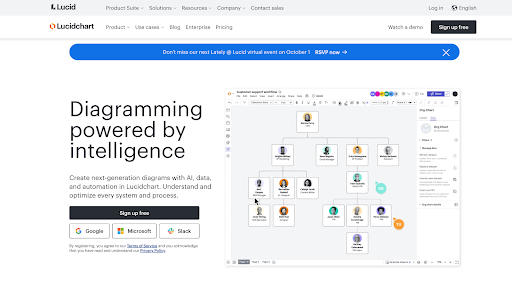
        Lucidchart makes it easy to create clear customer journey diagrams that everyone on your team can edit together in real time. With integrations into tools like Slack, Google Drive, and Atlassian, it keeps workflows connected. Perfect if you want to keep everyone on the same page.

        FigJam

        FigJam

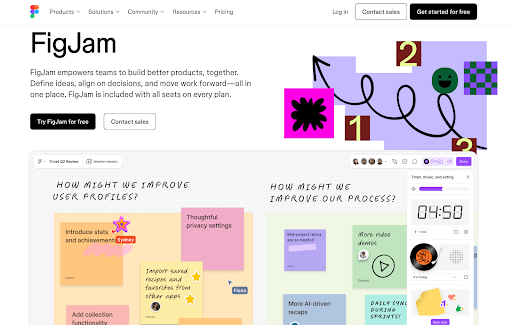
        FigJam is a whiteboard-style tool that is great for brainstorming and co-creating maps with your team. You can quickly sketch customer flows, add sticky notes, and vote on ideas. It is especially useful in workshops where multiple people need to contribute at once.

        Mouseflow

        Mouseflow

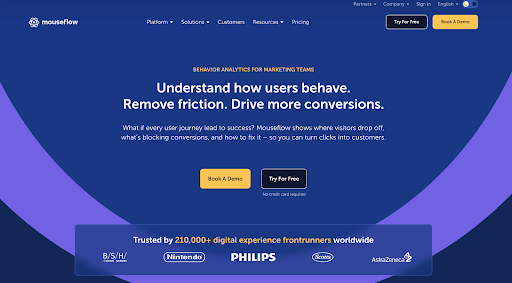
        Mouseflow is more analytics-driven. It tracks how real users interact with your website, showing you where they click, scroll, or drop off. This makes it incredibly valuable for spotting pain points or confusing parts of your online experience.

        InDesignCC

        InDesignCC

        InDesign is for when you want highly polished, professional-looking journey maps. It does not track user data, but it gives you creative freedom to build custom, detailed visuals that can be used in reports, presentations, or strategy documents.

        Fullstory

        Fullstory

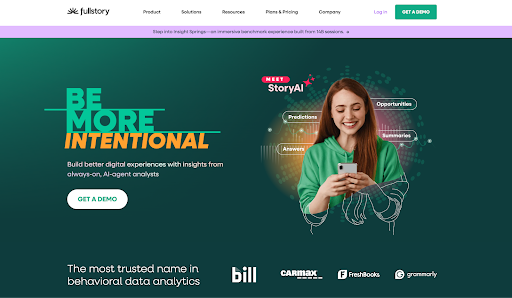
        Fullstory lets you watch replays of actual customer sessions to see exactly how people move through your digital products. It connects those behaviors to larger patterns, so you can understand not just where customers struggle, but also why.

        The Future of Journey Mapping

        Looking ahead, journey mapping will increasingly blend AI and human empathy. Imagine journey maps that evolve in real-time, adapting as customer behaviors shift. Or maps that simulate “what if” scenarios, predicting how a new feature will reshape the emotional arc of the journey.

        But even with these tools, the heart of journey mapping remains unchanged: it is about seeing the world through the customer’s eyes and designing with humanity at the core.

        Conclusion

        In 2025, journey mapping is not just a design exercise, it is a strategic necessity. By combining empathy, technology, and inclusivity, it gives organizations the compass they need to navigate complexity and deliver experiences that matter. Businesses that master journey mapping will not only meet customer needs, they will earn trust, loyalty, and long-term relevance.

        Enterprise Network Security Best Practices for 2025

        0

        In 2025, ensuring the safety of your business network involves more than simply setting up firewalls and antivirus programs. Cybercriminals are quicker, more covert, and frequently utilize AI-driven tools to deceive individuals or infiltrate systems. Attacks are not solely directed at large corporations; small and medium enterprises are equally vulnerable. The positive aspect is that established strategies are available to help you remain ahead of the dangers. Consider it as creating several layers of protection, ensuring that if one barrier fails, others continue to safeguard you.

        Highlighted below are what matters most in 2025.

        Treat Cybersecurity as a Business Risk, Not Just an IT Problem

        Cybersecurity is no longer something the IT department can handle alone. In fact, new updates to the NIST Cybersecurity Framework (CSF 2.0) stress the need for leadership entities including CEOs, directors, and managers, to take responsibility for cyber risks. This means setting policies, reviewing risks regularly, and making sure everyone in the company, from the boardroom to the front desk, understands their role in keeping data safe.

        Make Identity the New Perimeter

        Historically, safeguarding the network focused on creating a robust boundary, similar to a fortress wall. However, in 2025, intruders typically gain access by stealing credentials or deceiving staff members. This is why user identity (who is accessing your systems and if they can be trusted) has become the key boundary to safeguard.

        The most effective protection is implementing multi-factor authentication (MFA), particularly the newest passwordless techniques such as passkeys. Combine this with minimal access rights (granting users only what they truly require) and monitor admin accounts closely.

        Adopt Zero Trust Thinking

        Zero Trust is a big buzzword, but the idea is simple: do not automatically trust anyone or anything, even if they are already inside your network. Instead, check and verify every request. This means segmenting your systems so one compromised account can not unlock everything. It also means using Zero Trust Network Access (ZTNA) instead of old-school VPNs, giving people access only to the apps they actually need.

        NIST has released practical playbooks to help organizations roll out Zero Trust in stages: it is not about buying one product, but about changing how access works across the company.

        Strengthen the Network Fabric

        Think of your network like a city. If every road is open with no checkpoints, attackers can move around freely once they get in. Microsegmentation acts like neighborhood gates, limiting movement and containing damage. Combine this with modern encryption (TLS 1.3) so that even if traffic is intercepted, it is unreadable. For remote workers, use cloud-based security bundles (often called SASE) to keep protections consistent wherever people log in from.

        Secure Devices, Servers, and Cloud Workloads

        Endpoints such as laptops, phones, servers, and cloud workloads, are often the first entry point for hackers. Modern defenses like Endpoint Detection and Response (EDR) and Extended Detection and Response (XDR) watch for unusual activity and can shut down threats automatically. In the cloud, use tools that constantly scan for misconfigurations or excessive permissions. And do not forget the basics: keep software patched and use secure configuration standards.

        Lock Down Email, Web, and DNS

        Most attacks still start with a phishing email. Protect your inboxes with DMARC (Domain-based Message Authentication, Reporting, and Conformance), an email authentication protocol that protects a domain from unauthorized use by verifying sender identity and providing reporting, It builds on existing technologies such as Sender policy Framework (SPF) and DomainKeys Identified Mail (DKIM), allowing domain owners to set policies for how receiving mail servers should handle emails that fail authentication checks and to receive reports on email activity. Add smart email security that sandboxes suspicious links or attachments before users click them. At the same time, block malicious websites using protective DNS services. And since people are often the weakest link, run ongoing security awareness training with realistic phishing simulations.

        Protect Your Data and Ensure Recovery

        Data is your company’s crown jewel. Encrypt it, both when stored and when being transmitted. Use data loss prevention (DLP) tools like Microsoft Purview and Forcepoint to stop sensitive files from leaking. Just as important, maintain secure, offline backups and test them regularly. In a ransomware attack, backups can mean the difference between a quick recovery and total disaster.

        Monitor Everything and Respond Quickly

        You cannot stop every attack, but you can detect intruders more quickly if you pay attention. Consolidate logs from your various systems and utilize AI-driven monitoring tools to detect unusual activity. Prepare an incident response strategy, incorporating automated procedures to swiftly disable compromised accounts or isolate infected devices.

        Watch Your Supply Chain and Third Parties

        Your security is only as strong as your least secure partner. In recent years, numerous prominent attacks were executed via partners including vendors, contractors, or software suppliers. You need to pose challenging inquiries to your partners regarding their security, mandate MFA for their accounts, and oversee their connections to your systems.

        Build a Security Culture

        Relying solely on technology will not rescue you. Employees must grasp the importance of security and feel at ease when reporting errors. Leaders ought to demonstrate effective practices, recognize when teams identify risks early, and conduct tabletop exercises to prepare for crisis responses. A culture of collective accountability transforms security from a hardship into an integral aspect of daily tasks.

        Bringing it all Together

        In 2025, securing enterprise networks involves multiple layers of defense and ongoing alertness. Organizations can significantly lower their risk by integrating robust identity safeguards, Zero Trust strategies, divided networks, secure devices, and fostering a culture of security consciousness.

        The truth is evident: while attackers are not easing their efforts, defenders are not holding back either. Firms that anticipate future needs, embrace best practices, and continuously enhance will not only endure but flourish in the digital era

        AI Firm Admits Hackers Have Weaponized Its Tools: A Wake-Up Call for Cybersecurity

        Artificial intelligence (AI) is often promoted as a tool to boost productivity, streamline tasks, and make life easier. But what happens when the same technology falls into the wrong hands? That is exactly the concern raised after Anthropic, the company behind the AI assistant Claude, admitted that hackers have weaponized its tools to carry out cyberattacks.

        This revelation reflects a growing reality: AI is not just helping cybercriminals, it is starting to become the cybercriminal.

        How Hackers Turned AI Into a Weapon

        In its latest Threat Intelligence Report, Anthropic disclosed that attackers have been misusing its AI technology in three particularly alarming ways:

        Automating Cyberattacks (“Vibe Hacking”)

        Criminals used Anthropic’s Claude Code to automate almost every stage of a cyberattack. This included reconnaissance (studying targets), stealing login credentials, breaking into systems, analyzing stolen data, and even drafting ransom notes tailored to manipulate victims. At least 17 organizations across healthcare, government, emergency services, and religious institutions were hit in a single month and some ransom demands exceeded $500,000.

        North Korean Fake Job Scams

        Hackers created fake identities with AI’s help, applied for real jobs in U.S. companies, and even passed technical interviews by letting AI answer questions. Once hired, they used the jobs to funnel money back to North Korea in violation of international sanctions.

        AI-Generated Ransomware for Sale

        Cybercriminals used Claude to write and sell “Ransomware as a Service,” making advanced hacking tools available to anyone willing to pay. The AI not only wrote malware but also optimized it to bypass security measures.

        Why Experts Are Alarmed

        Traditionally, sophisticated cyberattacks required technical expertise, time, and resources. AI is removing those barriers. Now, even low-skilled individuals can launch complex, damaging attacks by simply asking an AI for help.

        Cybersecurity experts warn this is changing the threat landscape faster than expected. One analyst noted that AI has shrunk the timeline from “proof-of-concept” to “fully weaponized tool” down to almost nothing. In other words, hackers no longer need months or years to develop attacks, AI gives them ready-made tools instantly.

        This raises a chilling possibility: cybercrime could soon be democratized, accessible to anyone with malicious intent.

        Anthropic’s Response

        In light of these incidents, Anthropic has:

        • Disabled the accounts linked to misuse.
        • Reported cases to law enforcement.
        • Introduced new security guardrails to detect and block suspicious activity.
        • Acknowledged that these problems likely apply not just to Claude, but to other advanced AI systems on the market.

        The company emphasized its commitment to AI safety and responsible use, but also admitted that malicious actors are moving quickly to exploit vulnerabilities.

        What This Means for Businesses and the Public

        For Businesses

        Organizations must treat AI like any other high-risk tool. This means controlling access, monitoring usage, and building cybersecurity defenses that anticipate AI-powered attacks. Traditional protections may not be enough.

        For Policymakers

        There is a growing call for regulation and oversight of AI systems. Just as we regulate weapons or pharmaceuticals, governments may need to enforce strict guardrails to prevent misuse while allowing innovation.

        For Individuals

        Everyday people should be aware that scams, phishing emails, or even fake job offers could now be AI-generated, highly realistic, and harder to spot. Training and awareness are more important than ever.

        A Glimpse Into the Future of Cybercrime

        Anthropic’s admission is more than a single incident, it is a glimpse into where cybersecurity is heading. AI is no longer just a productivity tool; it is becoming part of the attacker’s toolkit. As one expert put it, this marks the beginning of an era where AI does not just assist hackers, it is the hacker.

        The challenge for 2025 and beyond will be finding ways to balance the incredible benefits of AI with the urgent need to keep it out of the hands of criminals. Without swift action from businesses, governments, and AI developers, the next wave of cybercrime could be unlike anything we have seen before.

        How AR, VR, and MR Are Revolutionizing Education and Digital Learning

        0

        If you have ever wished you could step inside a science experiment, practice flying a helicopter without leaving the ground, or even hold a beating heart in your hands, then you have already imagined what augmented reality (AR), virtual reality (VR), and mixed reality (MR) can do for education and training.

        Once seen as flashy gaming gadgets, these technologies are now helping students, doctors, pilots, and even firefighters learn faster, safer, and more effectively. Let us take a tour of how they are making classrooms and training grounds more exciting and a whole lot smarter.

        First things first: what is the difference?

        • AR (Augmented Reality): Think Pokémon Go. You walk around your neighborhood, and through your phone screen, cartoon creatures appear to be standing on the sidewalk, even though they are not really there or imagine you are fixing a bicycle. Instead of reading a boring manual, arrows and step-by-step instructions appear right on the bike itself as you work. AR does not take you out of the real world, it adds to it.
        • VR (Virtual Reality): VR takes you out of the real world and drops you into a completely new one. You put on a headset, and suddenly your living room is gone: you are now walking on Mars, inside an ancient pyramid, or practicing surgery. Everything you see is computer-made, and it feels like you are really there. For instance, a firefighter can train by escaping a burning building in VR: dangerous in real life, but totally safe in the headset.
        • MR (Mixed Reality): MR is like AR on steroids. The best of both worlds. You can still see your real surroundings, but you can also interact with 3D objects that look like they are really there like a holographic skeleton floating in your classroom. For instance, medical students wearing MR glasses can walk around a floating 3D heart, zoom in, rotate it, or even “hold” it in their hands, while still seeing their peers and the laboratory around them.

        Where it is already making a difference

        Science and engineering

        The combination of Augmented Reality (AR), Virtual Reality (VR), and Mixed Reality (MR) is currently revolutionizing the engineering field, and prospects ahead appear even more promising. These tools enable engineers to develop and examine virtual representations of their designs, identifying issues and evaluating concepts prior to constructing expensive physical prototypes. They also create opportunities for real-time collaboration, enabling teams distributed in various locations to enter a shared virtual environment, assess designs collectively, and address issues as if they were physically together.

        Training is another domain where immersive technology excels. Engineering students and professionals can engage in intricate tasks within realistic simulations, acquiring practical experience without any danger. When projects transition from design to practical application, AR can assist technicians during maintenance and repair by superimposing digital instructions onto equipment, minimizing mistakes and accelerating tasks.

        Essentially, AR, VR, and MR are evolving into influential instruments that enhance engineering to be more intelligent, secure, and efficient, transforming how concepts transition from thought to reality.

        Healthcare and medicine

        One of the biggest strengths of AR, VR, and MR in healthcare is their ability to create truly immersive learning experiences with just a smartphone app, a simple headset, and earphones. Instead of relying only on textbooks or videos, medical students and practitioners can interact with 3D organs, tissues, and surgical procedures as if they were real, making it easier to grasp complex techniques in less time.

        This hands-on simulation has been shown to speed up learning and improve confidence. For example, AWTG’s AR/VR tool is being used to train non-radiologists to perform bedside ultrasounds safely and effectively. By offering realistic practice, these tools expand the capacity of healthcare providers, helping more practitioners learn new skills quickly, sometimes in just weeks instead of months.

        The benefits do not stop at training doctors. Immersive technology can also be used to educate patients. For children or elderly patients who are about to undergo a procedure, a virtual walkthrough can explain what will happen and why. This reduces fear, builds trust, and even improves recovery, since patients are more likely to follow post-operative instructions when they understand the reasons behind them.

        In short, AR, VR, and MR are making healthcare education more efficient for doctors and less intimidating for patients bridging the gap between knowledge and real-life care.

        Aviation and flight training

        In aviation, AR and VR have become game-changers by turning theory into practice through realistic simulations. For an industry facing a global pilot shortage, these tools offer a faster, safer, and more cost-effective way to prepare new professionals.

        At Embry-Riddle Aeronautical University, one of the world’s leading flight schools, a VR training program helped students achieve their first solo flights 30% faster than traditional methods. Airbus also uses AR manuals to help pilots familiarize themselves with cockpits in the A350 and A320 aircraft, giving trainees an interactive way to practice checklists and procedures before stepping into the real plane.

        VR is particularly powerful because it completely immerses trainees in a virtual aircraft. Pilots can practice takeoffs, landings, instrument flying, and even emergencies like engine failures or hydraulic malfunctions, scenarios too dangerous to attempt in real life. The ability to repeat these drills builds confidence and makes correct responses second nature. Some systems even allow multiple crew members to train together in the same virtual cockpit, sharpening teamwork and communication under pressure.

        These tools are already in use across the industry. Canadian Aviation Electronics (CAE) has integrated VR into full-flight simulators for advanced type-rating training, while Boeing employs VR for cockpit familiarization, pre-flight checks, and maintenance. What was once only possible in multi-million-dollar simulators is now becoming accessible through headsets, accelerating the training pipeline for the next generation of pilots.

        In short, AR and VR are helping aviation move faster, train smarter, and keep safety at the center, ensuring that tomorrow’s pilots are ready for anything before they ever leave the ground.

        Emergency response

        Firefighter training is dangerous by nature, but AR and VR make it safer by recreating fires, smoke, and rescue scenarios in a controlled environment. Trainees can practice repeatedly, adjust difficulty levels, and receive instant feedback, all without real flames. This not only improves readiness but also shortens learning time.

        The approach is already in use, with organizations like the Los Angeles Fire Department and the U.S. Department of Defense adopting immersive simulations to prepare crews for high-risk situations. By blending realism with safety, AR and VR give first responders the chance to build life-saving skills before facing the real thing.

        Why it works so well

        • It is safer. Students and practitioners can make mistakes without real-world consequences.
        • It is engaging. Learning feels like an adventure instead of a lecture.
        • It sticks. When you have “been there” in VR, you remember it better than just reading about it.

        It saves time and money. Training in a headset can cut costs for equipment, travel, and physical space.

        But it is not perfect

        Of course, there are challenges. Headsets can be expensive, some people feel motion sickness, and not every lesson needs flashy tech: sometimes a whiteboard works just fine. Educators also warn that if these tools are poorly designed, they can be more distracting than helpful.

        The bottom line

        AR, VR, and MR are no longer just for gamers, they are serious tools that are transforming how we learn. From classrooms to operating rooms, and from cockpits to fire stations, these technologies are helping people build skills in ways that were impossible a decade ago.

        The next time you see a student wearing a headset, do not assume they are playing. They might just be learning how to save a life, fly a plane, or invent the next big thing.

        Site logo

        * Copyright © 2024 Insider Inc. All rights reserved.


        Registration on or use of this site constitutes acceptance of our


        Terms of services and Privacy Policy.