Home Blog Page 6

Is Web 3.0 the Same as Cryptocurrency?

0

If you have been online lately, chances are you have heard people throw around terms like Web 3.0, blockchain, and cryptocurrency, often as if they all mean the same thing. This creates a lot of confusion. Is Web 3.0 just another name for crypto? Or is cryptocurrency simply one part of something bigger? 

To make sense of it, let us break it down in plain English

What is Web 3.0?

Think of the internet in three stages

  • Web 1.0 was like reading a digital newspaper, you could only consume information.
  • Web 2.0 is today’s internet, social media, e-commerce, apps, and streaming. We interact, share, and create content, but big companies like Google, Meta, and Amazon own most of the platforms and data.
  • Web 3.0 is the next stage, an internet where ownership is shared. Instead of tech giants controlling your data, Web 3.0 uses blockchain and smart contracts so that users can control their digital identity, store value, and even earn money directly from participation.

In Web 3.0, apps run on decentralized networks instead of one company’s servers. That means no single entity has total control, and communities or individuals can own parts of the system.

What is Cryptocurrency?

Cryptocurrency, or “crypto” for short, is digital money that runs on blockchains. The most well-known examples are Bitcoin and Ethereum, but there are thousands of crypto tokens out there.

People use cryptocurrencies to:

  • Pay for things (like digital cash)
  • Trade and invest (like stocks, but riskier)
  • Fuel decentralized apps in Web 3.0 (like paying for gas in a car)

So, cryptocurrency is a tool, a type of digital asset that makes many Web 3.0 services possible.

How Web 3.0 and Cryptocurrency Work Together

Here is a simple analogy:

  • Web 3.0 is the car, it is the big vision of a decentralized internet.
  • Cryptocurrency is the fuel, it powers the apps, transactions, and communities within Web 3.0.

For example

  • On a DeFi app (decentralized finance), you might lend crypto to earn interest.
  • On a gaming platform, you might win crypto tokens that have real-world value.
  • In a DAO (decentralized organization), you use tokens to vote on decisions.

Without cryptocurrency, many of these Web 3.0 features would not work.

Key Differences

Even though they overlap, Web 3.0 and cryptocurrency are not identical:

  1. Scope: Cryptocurrency is just about digital money and tokens. Web 3.0 covers a wider vision of the internet: decentralized apps, governance, identity, storage, and finance.
  2. Use Case: You can trade crypto on a centralized exchange like Coinbase without ever touching Web 3.0. On the flip side, some Web 3.0 tools (like decentralized storage) do not always require direct crypto transactions.
  3. Vision vs. Reality: Cryptocurrencies already exist and are widely traded, but Web 3.0 as a full, decentralized internet is still being built.

Why the Confusion?

The confusion happens because most Web 3.0 projects use cryptocurrency as their foundation. When you log into a Web 3.0 app, you do not create a password, you connect a crypto wallet. When you want to interact with the platform, you often need tokens. So, people often mistake Web 3.0 for cryptocurrency, even though one is the bigger ecosystem and the other is just a part of it.

Conclusion

So, is Web 3.0 the same as cryptocurrency? No. Web 3.0 is the vision of a decentralized, user-owned internet, and cryptocurrency is the digital money that helps make it work.

Crypto is the backbone of most Web 3.0 platforms, but Web 3.0 stretches beyond money. It is about how we will control our identities, store our data, and interact online in the future.

To put it simply: Crypto is a building block. Web 3.0 is the house.

What Are the 3P’s of Design Thinking?

In design thinking practice, one useful lens to ensure successful innovation is the “3P’s” rule: People, Process, Place (or Space). This trio guides how teams set up design thinking initiatives, not just the what of ideas, but the who, how, and where that make those ideas work.

While there are multiple models of design thinking (empathy → define → ideate → prototype → test) The 3P’s offer a complementary “organizational scaffold” that helps embed design thinking into real teams and workplaces.

Let us look at each P in turn, with explanations and examples:

1- People

This refers to who does the design thinking, how they are organized, and what roles they play. A strong design team is typically cross-disciplinary, including representatives from business, technical, and end-user backgrounds. They matter because:

  • Having diverse perspectives helps uncover blind spots and richer insights.
  • Roles like facilitator, subject-matter expert, user researcher, and prototyper help keep the work moving.
  • Team dynamics, shared norms (e.g. “no bad ideas”), and psychological safety matters; if people feel judged or invisible, you lose creativity.

Example: In a workshop to redesign hospital waiting rooms, the design team might include a nurse, a patient liaison, an architect, and a user researcher. Because they bring different vantage points, they can spot issues an all-design group might miss.

2- Process (Approach / Methodology)

Process refers to the steps, tools, and methods by which the design thinking work is done. It is how you move from insight to idea to prototype to test. The “Process” is also referred to as “Approach/Methodology.”

Why it matters:

  • A process gives structure: phases like empathize, define, ideate, prototype, test help teams know what to do next. 
  • But flexibility is key, design thinking is iterative, not strictly linear. Insights may send you back to earlier steps.
  • Choice of tools (journey mapping, brainstorming, low-fidelity prototypes, user testing) anchors the abstract into real work.

Example: A product team might run a 3-day sprint: Day 1 for user interviews and mapping, Day 2 for ideation and sketching, Day 3 for building simple mockups and testing them with users. Because the process is laid out, everyone knows their part, but they can loop back if feedback suggests a change.

3- Place (Space / Environment)

Place refers to the physical or virtual setting in which design thinking happens: the rooms, walls, tools, even the vibe. The “Place (Space)” is mostly described as a crucial P.

This is because:

  • The environment influences creativity and collaboration. Bright rooms, whiteboards, sticky notes, open layouts, or virtual collaboration tools all set the tone.
  • Dedicated “innovation rooms” or war rooms help isolate creative work from everyday distractions.
  • Virtual workshops need digital tools, Mural, Zoom boards, digital sticky notes, to replicate spatial benefits.

Example: In a design sprint to improve a banking app, the team might reserve a quiet room with large whiteboards, color markers, sticky notes, and idea walls. At least one wall is dedicated to user quotes or photos. That place becomes a creative hub where team energy stays high, and ideas can be visualized.

Why the 3P’s Matter (and How They Fit with Other Models)

While the classic design-thinking stages explain what you do (empathize → test), the 3P’s help with how to make it stick in real organizations. You can think of:

  • People as the who
  • Process as the how
  • Place as the where / environment

If any P is weak: say, poor team composition, rigid process, or uninspiring space, the design thinking effort can stall. That is why many companies emphasize building the right culture first before jumping straight to methods. 

By paying attention to all three, design thinking is more than a workshop tool; it becomes a way of working that teams can sustain.

Web 3.0: What Problems does it Solve?

0

The internet we use today is powerful, but it is not perfect. Big tech companies hold huge amounts of our data, take a cut of most online profits, and decide who gets to be seen or heard. If Facebook or Google changes an algorithm, a small business can lose customers overnight. If a bank closes your account, your money is out of reach. Web 3.0 was created to fix many of these issues. Think of it as the next step after social-media-driven Web 2.0: an internet that aims to give control back to ordinary users instead of a few giant platforms.

1- Taking Back Control from the Middlemen

Right now, a handful of companies act as gatekeepers. They establish the guidelines, keep your information on their servers, and have the ability to block or restrict content. Web 3.0 distributes that authority across numerous computers rather than a single company’s database. Applications operate on blockchains, which can be verified by anyone. Changes are decided by communities, not executives. This implies a lower likelihood of unexpected bans or concealed regulations and greater transparency in decision-making processes.

2- Data Ownership

Nowadays, we frequently provide our personal information simply to access a service. That data can be sold, taken, or exploited. Web 3.0 allows you to store your data in a digital wallet that you manage. You choose when to disclose it and to whom. Decentralized storage systems such as Filecoin lack a central point of failure, reducing the risk of hacks or significant data breaches. 

3- Fair Pay for Creators

If you create music, compose articles, or produce digital art, you likely depend on platforms that take a significant percentage and can alter the regulations at any moment. Web 3.0 employs technologies such as NFTs and programmable smart contracts, enabling creators to sell directly to fans, establish their royalty rates, and receive automatic payments upon the resale of their work. No intermediaries, no unexpected charges.

4- Transparency

Since blockchains function as public ledgers, anyone has the ability to verify a transaction. This complicates fraud and enhances clarity in record-keeping. Supply chains, nonprofit organizations, and even electoral processes can gain from this type of open validation. Rather than relying solely on one company’s claims, you can verify the evidence personally.

5- Financial Freedom

Billions of individuals globally lack convenient access to banking services. Charges, documentation, and rigid criteria exclude them. Decentralized finance in Web 3.0, commonly referred to as DeFi, enables anyone with internet access to lend, borrow, or transfer money directly. Cross-border transactions are quicker and less expensive since there is no bank or payment processor taking a percentage.

Challenges Still Ahead

Web 3.0 is not a magic fix. Blockchains can be slow or expensive when busy. Managing digital wallets and “private keys” can be confusing. Hackers still target smart contracts, and governments are still figuring out how to regulate it all. These hurdles mean Web 3.0 will likely grow alongside today’s systems rather than replace them overnight.

The Bottom Line

Web 3.0 tries to solve the biggest problems of the current internet: too much power in a few hands, weak privacy, unfair pay for creators, and limited access to finance. By spreading control across many participants and giving people direct ownership of their data and money, it points toward a more open and user-driven web. It is still early days, but the goal is clear: an internet where you, not a giant company, are in charge.

Who Owns Web 3.0? Explained Simply

0

The internet has changed significantly over the last thirty years. In the initial stages of Web 1.0, it primarily served as a static collection of text, a venue for reading and accessing information instead of engaging. Since that time, increasing user demands and advancements in technology have propelled the internet from Web 2.0’s social and mobile phase towards Web 3.0. This new development not only guarantees more immersive media but also a significant change in how individuals possess, manage, and benefit from the digital landscape.

At the same time, this change has brought about a provocative question, “Who owns Web 3.0?” which invites both idealism and skepticism.

On the one hand, proponents of Web3 promise a future in which users, not corporations, own and govern the infrastructure of the internet. On the other, critics argue that power and influence may simply re-centralize in new forms. The reality lies somewhere in between.

The Origin Story: Gavin Wood and the Birth of Web3

Web3’s roots trace back to Gavin Wood, co-founder of Ethereum, who coined the term in 2014 and offered a vision for a decentralized internet grounded in blockchain mechanics. Wood later founded Parity Technologies and the Web3 Foundation to help build infrastructure for decentralization. The Web3 Foundation has funded many projects, awarding grants to hundreds of decentralized application (dApp) efforts. 

By invoking “Web3,” Wood sought to correct what he saw as the flaws of Web2, especially the concentration of power in big tech platforms, and instead push for trustless, decentralized systems. Yet, despite Wood’s central role in coining and promoting Web3, he is not its “owner” in a proprietary sense.

Decentralization and Token-Based Ownership

In theory, Web3 is owned by its users and maintained by community participants. The core mechanism is tokenization, users can hold cryptographic tokens (fungible or non-fungible), which confer property rights, voting rights, or governance roles within decentralized networks. Blockchains, by design, have no single owner; they operate across many nodes, and protocol rules are enforced by consensus. 

That said, ownership in Web3 is messy in practice. Many projects hinge on founders, early backers, or large token holders, who may wield outsized influence over direction, protocol upgrades, or governance decisions. Critics warn that this introduces new hierarchies, not unlike those of Web2. 

Who Actually Holds the Keys?

While Web3 aims for collective ownership, certain players continue to hold significant structural influence: 

  • Core developers and protocol maintainers frequently suggest enhancements, bug corrections, or consensus modifications. The choices they make influence the evolution of the network, even when modifications need community consent.
  • Foundations and non-profits, like the Web3 Foundation, can influence funding, management, and visibility, thus determining which projects receive support.
  • Early token distributors, founders, investors, or institutions can hold governance tokens that allow them to vote on upgrades or direction. Their power often scales as adoption grows.

Thus, the question “Who owns Web3?” is less about a single entity and more about who holds influence.

The Ownership Paradox

Web3 promises that no one owns it, yet everyone participates in it.

 But absolute decentralization is hard to realize. Infrastructure still depends on central points: foundations, development teams, or major validators. Also, open-source software underlies Web3, meaning code is owned by no single person but shared under permissive licenses. 

In practice, Web3 ends up being a spectrum of ownership and governance. On one side, there are core visionaries like Gavin Wood whose ideas and institutions helped birth it; on the other, there are broad swaths of developers, users, and token holders who contribute code, stake capital, and vote.

A Balanced Take

No one “owns” Web 3.0 in a centralized or proprietary sense. Its architecture is meant to avoid single-point control. But in the emergent Web3 world, influence, capital, and early advantage often concentrate power in new forms. The real conversation is not about exclusive ownership, it is about designing governance, incentives, and accountability so that Web3 lives up to its promise of a more equitable, user-owned internet.

Can Web 3.0 Replace Traditional Finance?

0

The financial world is abuzz with the promise of Web 3.0 and decentralized finance (DeFi). Supporters argue these technologies could revolutionize payment systems, lending, asset management, and more. But can Web 3.0 truly replace traditional finance, or will it more likely coexist, evolve, or disrupt only parts of the system?

Web 3.0 uses blockchain and smart contracts to give people more control over their money by removing the need for banks or other middlemen. As techUK explains, tools like DeFi (decentralized finance) and self-custody wallets let users hold and move their own funds without relying on a central authority. This challenges traditional banking in three big ways: people can lend, borrow, and trade directly with each other; blockchain makes sending money across borders faster and cheaper; and smart contracts create clear, automatic agreements for loans and other financial products. Together, these changes are reshaping not only everyday banking but also investing, asset management, and large-scale financial markets, making old systems of central data storage and strict intermediaries look outdated.

Strengths Where Web 3.0 Excels Over Traditional Finance

  • Accessibility & Inclusion: With an internet connection, people underbanked or excluded under Traditional Finance rules (high minimums, complex identity or collateral requirements) could access financial services via DeFi. It emphasizes stablecoins and decentralized wallets as essential entry points. 
  • Lower costs & faster execution: Blockchain transactions can bypass many of the delays and fees inherent in banks’ traditional intermediaries. Ripple, for example, is cited in Forbes for providing near-instant cross-currency payments with minimal fees. 
  • Transparency & trust: Web 3.0’s ledger-based systems allow auditability, public verification, and less opacity in operations (smart contracts, stablecoins, etc.). This could reduce fraud, build consumer trust, and streamline compliance.

Programmable / automated finance: Smart contracts allow automatic execution of financial agreements, conditional payments, and decentralized identity systems, which reduce manual oversight.

But Notable Challenges Remain

While Web 3.0 looks promising, replacing traditional finance entirely faces several substantial roadblocks:

  • Regulation & Compliance: Traditional finance is heavily regulated for consumer protection, anti-money laundering (AML), identity verification (KYC), and other safeguards. DeFi systems often operate with weak or patchy regulatory oversight, which raises risks. Stablecoins, cross‐border payments, and markets need clearer legal frameworks.
  • Risk, Security & Technical Maturity: Smart contracts can have bugs; blockchain protocols can have vulnerabilities. There is also risk from oracles, consensus failures, or protocol hacks. Even though transparency is a strength, it does not fully offset these risks.
  • Scalability and performance: Traditional financial systems handle massive throughput reliably. Many blockchain and DeFi systems still struggle with transaction speed, high gas fees, or network congestion. Unless those technical constraints improve, scaling Web 3.0 to national or global financial infrastructure is hard.
  • User experience / usability & adoption: Familiarity, trust, regulation, and convenience built into traditional finance mean many users are slow to switch. There is onboarding friction, concerns about losing private keys, volatility in assets, and complexity in self-custody. These practical hurdles matter.

Interoperability & hybrid co-existence: So far, many DeFi protocols are isolated; integrating digital assets with fiat systems, banking rails, and regulatory structures remains difficult. Bridging CeFi (centralized finance) and DeFi in ways that are secure, compliant, and usable is a big task.

Can It Fully Replace Traditional Finance?

Probably not, at least not yet, and not across all functions. What seems more likely, based on current evidence, is a hybrid future:

  • Traditional banks and financial institutions will adopt Web 3.0 technologies where they provide efficiency, transparency, or new business models (e.g. stablecoins, blockchain-based payments, smart contracts).
  • DeFi and Web 3.0 will likely replace or significantly disrupt specific niches: cross-border remittances, peer-to-peer lending, small asset tokenization, and segments with less regulatory burden.

In highly regulated domains like consumer banking with deposit insurance, large-scale corporate finance, or where legal frameworks demand accountability, traditional finance will likely remain strong, perhaps integrating Web 3.0 elements rather than being superseded.

Conclusion

Web 3.0 offers substantial promise: greater transparency, lower costs, enhanced access, and new programmable financial products. In many respects, it already is disrupting aspects of traditional finance. However, replacing Traditional Finance wholesale faces serious technical, regulatory, and adoption challenges. For Web 3.0 to become a dominant force, a combination of sound regulation, robust security, user-friendly design, and scalability must align. In short, Web 3.0 will not fully replace traditional finance across the board anytime soon, but it has the power to reshape it profoundly and selectively in areas where those conditions are met.

Is Design Thinking an Agile Process

0

At first glance, design thinking and Agile sound like they belong to the same family. Both are big on collaboration, rapid feedback, and a willingness to iterate instead of clinging to a fixed plan. It is tempting to assume that design thinking is just another Agile framework, like Scrum or Kanban, with a more creative twist.

But while they share values and often work side by side, design thinking is not an Agile process. It is a complementary discipline that focuses on what to build and why, while Agile focuses on how to build it quickly and adaptively. Understanding the distinction and how they can reinforce each other can help teams deliver products that are both valuable and viable.

What each one is (and what it is for)

Design thinking is a human-centred problem-finding and problem-solving mindset. It emphasises empathy with users, broad exploration of needs, reframing problems, rapid prototyping, and learning from tests. It is about making sure you are solving the right problem before you scale a solution. 

Agile (and frameworks like Scrum) is a delivery and execution approach. It organises work into short, inspectable cycles (sprints), emphasises frequent delivery of working increments, close collaboration with stakeholders, and continuous improvement, so teams can ship value quickly and adapt to changing requirements.

In short: design thinking asks “What should we build and why?” Agile asks “How do we build it, fast and iteratively?”

Key differences (where people get confused)

Primary focus: 

  • Design thinking → user needs & problem framing; 
  • Agile → product delivery & team flow. 

Timing:

  • Design thinking’s early stages are intentionally divergent (explore many possibilities); 
  • Agile prefers short, convergent cycles that frequently deliver increments. 

Outputs:

  • Design thinking yields insights, prototypes, and validated assumptions; 
  • Agile yields shippable features and working software. 

Mindset:

  • Design thinking tolerates ambiguity to discover the true problem; 
  • Agile tolerates uncertainty in requirements by delivering small slices and learning from real use.

Because they answer different questions, design thinking is not itself an Agile process but that is not a weakness. It is complementary.

Why combining them works better

When teams use design thinking before or alongside Agile delivery, they reduce wasted work and increase the likelihood that what gets built actually matters. Design thinking narrows the right things to build; Agile gets those things into users’ hands fast so you can learn and improve. Many practitioners and organisations describe this combo as a product-team superpower: 

problem discovery + iterative delivery = better outcomes.

Practical benefits 

  • Better problem validation (less shipping of features nobody needs).
  • Faster feedback loops: prototypes → user tests → refined backlog for Agile sprints. 

Stronger cross-functional collaboration: designers and developers speak the same iterative language. 

How teams typically integrate design thinking and Agile (patterns you can use)

  1. Design sprint → Agile sprints: Run a short design sprint (problem framing + prototype + user test) to produce validated stories that feed the Agile backlog.
  2. Dual-track Agile: Run parallel “discovery” and “delivery” tracks designers/UX do ongoing research & prototyping while engineers deliver previously validated work. This keeps discovery continuous without blocking delivery.
  3. Lean experiments in sprints: Use Agile sprints to run lightweight experiments or A/B tests born from design-thinking insights.
  4. Embed user testing into the Definition of Done: Require that a prototype or user feedback exists before a backlog item is considered ready for a full engineering sprint. 

Pitfalls to avoid

  • Skipping discovery: Do not treat design activities as optional “UX polish.” Without proper problem work, Agile can become fast at delivering the wrong thing. 
  • Treating design thinking as one-off: Discovery must be ongoing; user needs to shift. Combine continuous discovery with Agile’s iterative delivery.

Poor handover between teams: If discovery outputs are vague, delivery stalls. Use clear artifacts (validated assumptions, proto-tests, acceptance criteria).

Quick checklist to get started (practical)

  • Run a 2–5 day design sprint for big, uncertain problems. Use its outputs to populate and prioritise your backlog. 
  • Adopt dual-track Agile if you need continuous discovery and delivery. 
  • Require user feedback as part of story readiness. 
  • Measure both desirability (user tests) and viability/feasibility (business metrics + tech risk) before heavy investment.

Conclusion

Design thinking is a creative, human-centred discovery approach, not an Agile framework but it belongs in the same product lifecycle. When teams deliberately pair design thinking’s problem-finding strengths with Agile’s delivery strengths, they build things that people actually want and can evolve quickly. Think of design thinking as the compass (direction) and Agile as the engine (momentum). Put them together and your product is both meaningful and ship-ready.

The 5W’s + H of Design Thinking Explained

0

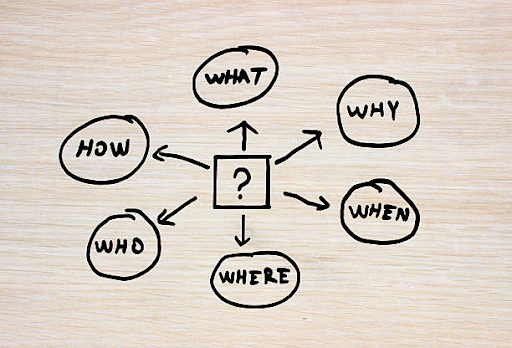
Design thinking is celebrated for putting people first, but even seasoned innovators can lose their way when a project grows complex. This is why using the “5 W’s: Who, What, Where, When, and Why” as a mental checklist keeps the process grounded and ensures that every idea is anchored in real human needs.

1- Who: Understanding the People Behind the Problem

The starting point of any design-thinking journey is empathy.
For whom are we creating designs? This involves more than simply identifying a target audience. It entails:

  • Primary users: individuals who engage directly with the product or service.
  • Secondary stakeholders: personnel providing assistance, key decision-makers, regulatory bodies, or any individuals affected by the outcome.
  • Hidden influencers: relatives, friends, or societal influences that impact user decisions.

Designers frequently develop personas, conduct detailed interviews, and monitor actual behavior to uncover hidden motivations and frustrations. Without a precise “Who,” every following action risks addressing the incorrect issue.

2- What: Defining the Core Challenge

Once you know who you are serving, ask: What exactly is the challenge?
This is about uncovering the real need behind the obvious symptoms.

  • What goal is the user trying to achieve?
  • What obstacles stand in the way?
  • What constraints, technical, financial, ethical, must be respected?

This is also where the “H” Question comes in. In practice, teams write problem statements or “How might we…?” questions. “What” inquires about the tasks individuals undertake, “How” seeks specifics on how those tasks are carried out. For instance, browsing the menu on an app, selecting dishes, customizing ingredients, entering delivery instructions, and confirming payment are actions taken by an individual. How they achieved these delves into the specific, individual actions required for the job.

3- Where: Mapping the Environment

Context shapes behaviour. The Where examines the settings; physical, digital, social, where the user experiences the problem.

  • Is it a busy hospital ward, a quiet living room, or a smartphone screen on a crowded bus?
  • How do lighting, noise, device limitations, or cultural norms affect the interaction?

Site visits, service blueprints, and journey maps reveal friction points that only appear in the actual environment. Understanding “Where” helps designers create solutions that fit seamlessly into people’s lives.

4- When: Pinpointing the Moments That Matter

Timing often determines whether a design succeeds. When do users encounter the challenge?

  • At what stage of their day, week, or life cycle does the need arise?
  • Are there peak moments of stress or urgency?
  • How do needs evolve over time?

Customer-journey mapping, diaries, and analytics expose critical touchpoints: onboarding, crisis moments, seasonal spikes, where an intervention will have the greatest impact.

5- Why: Uncovering Purpose and Meaning

Finally, ask the question that gives everything else significance: 

  • Why does this problem matter?
  • Why will solving it improve someone’s life or a community’s well-being?
  • Why is it worth the investment of time, money, and creativity?
  • Why does the problem persist in the first place?

By exploring the deeper purpose, teams avoid creating solutions that are clever but irrelevant. The “Why” also becomes a north star that unites stakeholders and motivates the project team.

Putting the 5 W’s to Work

The 5 W’s are not a rigid framework; they are a thinking habit that can be applied throughout the classic design-thinking phases: empathize, define, ideate, prototype, and test:

  • During Empathize, the “Who” and “Where” guide research planning.
  • In Define, the “What” crystallizes the problem statement and the “Why” anchors it in purpose.
  • As you Ideate, keep revisiting the “When” to ensure ideas fit real-world timing and constraints.

By continually circling back to these five questions, teams maintain a 360-degree view of the challenge, ensuring that solutions are viable, feasible, and truly desirable for the people they serve.

Conclusion

The 5 W’s of design thinking act as a compass, keeping innovation human-centered and strategically focused. Whether you are designing a healthcare service, a mobile app, or a community program, asking Who, What, Where, When, and Why, and asking again as you learn, turns a good idea into a solution that genuinely makes a difference.

What Are the 4D’s of Design Thinking?

0

The 4D’s of design thinking refer to four phases or stages often used to frame a human-centered design process. They are:

  1. Discover
  2. Define
  3. Develop
  4. Deliver

This model is closely related to the well-known Double Diamond framework by the British Design Council. 

Each stage plays a specific role in helping teams move from ambiguity and uncertainty toward a concrete, tested solution. Let us explore them in more depth.

The Four D’s: Explained

PhasePurposeKey ActivitiesBenefits
DiscoverUnderstand the problem space, gather insights about people, context, needs, and pain points.User research (interviews, observation), market analysis, empathizing, collecting data and stories.Avoids assumptions; uncovers real needs; broadens perspective; ensures the design is grounded in reality.
DefineSynthesize what has been learned; clarify what problem(s) to focus on; frame the design challenge.Analysis of research data, pattern-finding, defining user personas or journey maps, “How Might We” statements, setting criteria.Creates alignment on what the real problem is; focuses efforts; helps avoid solving the wrong problem.
DevelopGenerate ideas; prototype; test; iterate. Essentially exploring solutions.Ideation (brainstorming, sketching), creating prototypes (low fidelity to high), user testing, gathering feedback, refining.Encourages creativity; allows failing early; improves ideas through iteration; increases probability of finding an effective solution.
DeliverFinally implement, launch, evaluate, and refine the solution in real world conditions.Finalizing design, building or coding, deploying product or service, monitoring performance, gathering feedback, making adjustments.Ensures solution is viable, usable, and sustainable; helps measure impact; closes the loop with users; avoids “designs that look good on paper but fail in practice.”

Origins & Why It is Useful

  • The 4D model is often attributed to Nigel Cross, among others, and is used in design and product development to simplify and clarify the stages of design thinking.
  • The Double Diamond model (Discover → Define → Develop → Deliver) codifies these four stages and emphasizes both divergent thinking (broad exploration) and convergent thinking (focusing / selecting). 
  • Using these stages helps teams avoid jumping too fast into solutions without understanding the problem, and encourages iteration.

Best Practices & Pitfalls

To use the 4D’s effectively, consider these tips and watch out for common mistakes.

Best Practices

  • Iterate, do not just go straight through once. The process is rarely linear. You may revisit Discover or Define after getting feedback.
  • Include real users from the beginning. Empathy and user feedback are central; skipping them leads to poorly aligned solutions.
  • Prototype early and cheaply. Low-fidelity prototypes (paper sketches, wireframes) can validate ideas before heavy investment.
  • Divergent & convergent thinking in each relevant stage. For example, in “Discover” you diverge (gather lots of data), then converge (identify key insights). Also in Develop (ideate broadly) then narrow.

Define clear criteria for success. What metrics or outcomes will tell you the solution works? Use them especially during the “Deliver” Stage.

Common Pitfalls

  • Assuming you know the problem. Skipping “Discover” or doing it superficially leads to solutions that miss the mark.
  • Over-defining before developing. If you lock in ideas too early, you may suppress innovation.
  • Poor feedback loops. Skipping user testing or ignoring feedback undermines the process.

“Delivery” without evaluation. Launching something without seeing how it performs in reality misses an opportunity for refinement and learning.

Why It Matters

  • Helps manage complexity: When problems are fuzzy, the 4D structure gives order without being rigid.
  • Promotes empathy and human-centered design: By discovering and defining with care, the solutions are more likely to truly serve people’s needs.
  • Encourages innovation and reduces risk: You test, fail fast, iterate. Cheaper to correct mistakes early than rework a fully developed product that users dislike.
  • Aligns stakeholders: Everyone from designers, engineers, business, users can see where things are in the process and what to expect.

Example in Practice

Let us suppose a startup wants to build a new mobile app to help students manage study schedules and improve mental well-being.

  • Discover: Do interviews with students, observe how they currently plan studies; research existing tools; understand stress points.
  • Define: Analyze the findings; identify that the core need is not just scheduling but balance between study and rest; define a focused problem statement: “How might we help students maintain a healthy study-rest balance without feeling guilty or overwhelmed?”
  • Develop: Brainstorm features (pomodoro timers, rest reminders, community sharing etc.); build prototypes; test with a small group of students; iterate.

Deliver: Build the app, launch a beta, collect usage data, user feedback; iterate and update features; finally do a full launch ensuring infrastructure, UX, support etc. are ready.

Conclusion

The 4D’s of design thinking (Discover → Define → Develop → Deliver) form a powerful, time-tested framework for problem solving, particularly when dealing with complexity, ambiguity, and human needs. They help make innovation systematic, informed, empathetic, and resilient.

Meta Ray-Ban Display Glasses First Look

Before Apple’s Vision Pro stole the headlines with its glossy VR experience, the spotlight belonged to Meta and it is back again. This time the company is not asking you to strap a computer to your face. Instead, the new Meta Ray-Ban Display glasses add a see-through screen to a regular pair of Ray-Ban shades, bringing augmented reality (AR) to something as easy as wearing everyday sunglasses.

“Glasses are the ideal form factor for personal superintelligence, because they let you stay present in the moment while getting access to all of these AI capabilities that make you smarter, help you communicate better, improve your memory, improve your senses, and more,” Zuckerberg said.

These are the first Ray-Ban models with a built-in display, paired with a new wristband controller (“Neural Band”) that uses gesture control. Yet the real showstopper of the $799 Meta Ray-Ban Display package may not be the glasses themselves, but the sleek, soft-gray wristband that quietly steals the spotlight.

Key Specs at a Glance

FeatureWhat Meta Offers
DisplayA monocular display built into the right lens: 20-degree field of view, 600×600 resolution, up to 5,000 nits brightness (adjustable), run at 90 Hz (but many functions refresh at 30 Hz). 
Camera & Media12MP camera, can take high-resolution photos (over 3,000×4,000) and record video in 1080p.
Controls / InteractionMeta Neural Band wristband with EMG (electromyography) sensors that detect subtle wrist/finger gestures (swipes, rotations, taps); plus voice commands and on-arm touch controls. 
Battery / PowerUp to 6 hours of mixed use for the glasses themselves. The charging case offers extra hours (Meta claims approximately 30 hours total when using the case). Neural Band on its own lasts about 18 hours. 
Other design featuresWayfarer-style frames with standard & large sizes; prescription lens support; IPX4 rating on the frame; IPX7 water-resistance for the Band; transition lenses. 

What It is Like Using Them: The Hands-On Experience

From early user tests and demos (such as from Tom’s Guide and CNBC):

  • The display is subtle. It sits tucked into the right lens so it does not dominate your vision. It unlocks standout features such as reading messages, previewing photos, and viewing live captions during a conversation.
  • Readability in bright light is okay thanks to high maximum brightness, though contrast occasionally suffers. Some icons and text show a bit of blurriness when overlapping with complex real-world backgrounds.
  • The Neural Band feels futuristic. Using gestures (like rotating the wrist, tapping, etc.) is clever and frees the user from always having to touch the frames or use voice control. But there is a learning curve, especially with precision (e.g. small gestures) and ensuring comfort in wearing the band. 

What Works Well & What It Struggles With

Advantages

Hands-free utility

Tasks like checking notifications, step-by-step directions, translating speech live, and viewing messages become more seamless without having to take out a phone. These are just glances away.

Design that does not scream “tech gadget”

The Wayfarer style frames, color options, transition/prescription lenses, and overall wearability mean people might feel more comfortable wearing them in daily life. Not overly bulky. 

Gesture control & display synergy

The Neural Band + display combo gives new kinds of interaction: adjusting volume, moving between tasks without interruption, etc. This setup suggests how future wearables might reduce dependency on phones.

Limitations & Trade-offs

Battery life is solid but not spectacular

Six hours is good for mixed usage, but heavy continuous use (video, AR features, display at full brightness) will drain faster. For many users, the charging case becomes necessary for full-day use.

Visibility issues & display clarity

Because the display is monocular and off to the side, it is not meant to replace your whole visual field. Overlaid text/icons can blur against bright or busy backgrounds. Perfect for short interactions, less ideal for extended immersive content.

Learning and gesture precision

The Neural Band gestures are promising, but subtle gestures can be misinterpreted, or take time to master. Also, not all gestures are equally intuitive for all users.

Price and practicality

At USD $799, this is premium territory. Users will need to see real utility beyond novelty to justify the cost. Also, there is still the challenge of region-based feature availability and regulatory compliance.

The Bigger Picture: Why This Matters

Meta is positioning these glasses as part of its vision for “personal superintelligence”, devices that help you carry out digital tasks seamlessly, with minimal friction. It is a step toward making AR & AR-assistants more embedded in everyday life. The display is small, but it signals what is possible: when display tech, gesture controls, and AI assistants converge, you get something more useful than just a flashy toy.

Conclusion

After seeing the Meta Ray-Ban Display glasses firsthand, it is clear they are a compelling bridge between smartphone interfaces and more immersive AR wearables. They are not perfect: trade-offs in visibility, battery, costs, and gesture precision remain. But for someone who values hands-free convenience, glanceable displays, and staying connected without always pulling out a phone, these glasses could be a game changer.

They suggest what the near future might look like: smart, stylish tech that amplifies what our phones do, without trying to replace them completely. As Meta and competitors refine hardware and software, will they fulfill the promise of everyday AR? If battery improvements, gesture controls, and privacy can keep up, 2050-style sci-fi wearables may be much closer than we think.

What Skills Are Needed for Cybersecurity?

0

Cybersecurity is the practice of protecting computer systems, networks, and data from attacks or unauthorized access. It is a field that never sleeps: as soon as one threat is stopped, another appears. Because of this, professionals in cybersecurity need a wide range of abilities, technical expertise, critical thinking, and strong communication, so they can defend organizations in a fast-changing digital world.

Why These Skills Matter

Cybersecurity specialists are in huge demand. ISC2 and the National Institute of Standards and Technology show a global shortage of millions of workers in this field. Employers are not just looking for people who know how to set up a firewall; they want professionals who can predict new threats, explain risks to business leaders, and build secure systems from the ground up.

Core Technical Skills

1- Networking and System Fundamentals

You cannot protect what you do not understand. Cyber professionals must know how data travels across networks: IP addresses, routing, switching, Domain Name System (DNS), and how firewalls and load balancers work. When an attack happens, like a Distributed Denial of Service (DDoS), you need to quickly spot unusual traffic and know how to stop it.

2- Operating System Mastery

Most attacks target the underlying operating system, so being fluent in Windows, Linux, and sometimes macOS is critical. Security pros monitor system logs, manage user permissions, and patch vulnerabilities. For example, if a server is compromised, you might need to dive into Linux command-line tools to track suspicious processes.

3- Programming and Scripting

While you do not need to be a full-time software engineer, understanding programming makes you far more effective. Python, Bash, and PowerShell are especially valuable. They allow you to automate tasks like scanning logs, parsing large data sets, or running custom security checks. When speed counts, automation saves the day.

4- Threat Detection and Incident Response

This involves identifying and responding to attacks. Professionals use Security Information and Event Management (SIEM) tools to detect anomalies and follow a response plan: contain the threat, eliminate it, and recover systems. Quick action reduces damage and downtime.

5- Vulnerability Assessment and Penetration Testing

Before an attacker finds weaknesses, a security team tries to find them first. Using tools such as Nmap or Metasploit, penetration testers simulate attacks to discover flaws. Understanding these offensive techniques helps defenders build stronger systems.

6- Cloud Security

Modern companies rely on Amazon Web Services (AWS), Microsoft Azure, or Google Cloud. Each has unique security challenges: setting up Identity and Access Management (IAM), encrypting data, and ensuring secure configurations. Knowing how to lock down cloud environments is now as important as securing traditional servers.

7- Cryptography and Data Protection

Encryption keeps sensitive information safe. Security professionals must understand how encryption keys work, how to manage digital certificates, and when to use hashing or multi-factor authentication.

8- Governance, Risk, and Compliance

Organizations must follow rules such as GDPR (Europe) or HIPAA (healthcare in the U.S.). Cybersecurity experts who understand these regulations can design systems that meet legal requirements and avoid expensive penalties.

Essential Human Skills

Technical knowledge alone is not enough. Cybersecurity is also about people. Evidence suggests that cybersecurity hiring managers prioritize non-technical skills equally to, or sometimes even more than, technical skills

  • Communication: Explaining a complex threat in simple terms to non-technical managers is a daily task. Clear writing and presentation skills turn technical findings into business decisions.
  • Analytical Thinking: Attacks often leave subtle clues. Security pros sift through huge amounts of data to spot patterns and figure out what happened.
  • Problem Solving and Curiosity: Hackers are creative; defenders must be, too. Investigating new vulnerabilities or reverse-engineering malware requires persistence and imagination.
  • Teamwork and Leadership: Security incidents involve IT staff, legal advisors, and executives. Coordinating across departments, sometimes in high-pressure situations, is crucial.
  • Adaptability: Technology changes rapidly. A good cybersecurity expert keeps learning, staying ahead of emerging threats like AI-driven attacks.

Training and Certifications

While skills matter more than paper credentials, certifications signal competence and help you focus your learning.

  • Entry Level: CompTIA Security+ introduces core security concepts and is recognized globally.
  • Intermediate: Certified Ethical Hacker (CEH) or GIAC Security Essentials (GSEC) for those pursuing offensive security or broad defensive skills.
  • Advanced: CISSP (Certified Information Systems Security Professional) for senior roles covering architecture and management.
  • Specialized: Cloud-specific certifications (AWS Certified Security, Azure Security Engineer) for cloud-heavy environments.
  • Internships and apprenticeships play a crucial role in developing and identifying top cybersecurity talent. Classroom learning and certifications provide valuable theory, but real-world experience is where aspiring professionals prove their skills.

How to Build These Skills

  1. Start with Networking and Linux: They are the foundation of almost every security job.
  2. Practice Scripting: Automate small tasks to learn Python or PowerShell.
  3. Use Free Labs: Platforms like TryHackMe, Hack The Box, or your own virtual machines provide safe practice.
  4. Follow the News: Sites like the Cybersecurity and Infrastructure Security Agency (CISA) alerts, Krebs on Security, and industry reports keep you updated.
  5. Join Communities: Local security meetups, online forums, and professional groups can offer mentorship and job leads.

A Growing, Rewarding Career

Cybersecurity is one of the fastest-growing careers worldwide. Whether you become a security analyst defending networks, a penetration tester breaking into systems (legally), or a security architect designing the overall defense, the skills you learn will remain in demand.

The key is balance: deep technical expertise combined with strong communication and continuous curiosity. As technology evolves, think AI, Internet of Things (IoT), and quantum computing, the need for skilled cybersecurity professionals will only increase.

Site logo

* Copyright © 2024 Insider Inc. All rights reserved.


Registration on or use of this site constitutes acceptance of our


Terms of services and Privacy Policy.