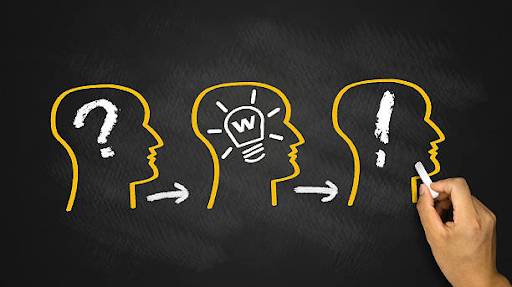
Design thinking is a powerful mindset and method used across many job roles. Whether you are a designer, strategist, or manager, knowing how and where design thinking skills apply can widen your career options and help you stand out in job searches.
In this article you will discover:
The most common jobs that use design thinking
Why these roles value design thinking skills
Key industry sectors and hiring trends
Why Design Thinking Matters for Jobs
“Design thinking” refers to a human-centred, iterative problem-solving approach, emphasising empathy, ideation, prototyping and testing. Because so many businesses today face complex problems (digital products, services, customer experiences, innovation), they are seeking people who think like this. For example:
A study found that job postings requesting “design thinking” as a skill rose sharply, from 1 in 5 in 2018 to thousands of postings by 2022.
Industries such as consulting services, finance, software publishing and insurance lead in demand for design-thinking skills.
Thus, if you bring design thinking into your skill set, it can open doors in many roles beyond traditional “designer” jobs.
UX Designers use design thinking day-to-day: they start with user research (empathy), map out pain points, ideate solutions, build wireframes/prototypes and test. According to CareerFoundry:
“Guided by the design thinking process … UX designers understand and advocate for the needs and goals of the user.”
If you are comfortable with user research, prototyping and usability testing, this is a core job that uses design thinking skills.
Product Manager
Product Managers often act as the bridge between business strategy, design and engineering. They use design thinking to: identify user needs, prioritise features, coordinate prototyping, validate solutions and create a roadmap for product development. So if you like blending strategy, product and user-centric design, this role is a strong match.
Service Designer
Service Designers look beyond products to entire customer or client journeys, touchpoints, processes, back-end systems and emotions. They apply design thinking to map experiences and redesign services. So, if you like thinking about how systems, services and experiences connect, consider this role.
Innovation Strategist / Design Strategist
These roles operate at a higher level: they use design thinking to guide business innovation, identify new opportunities, shape strategy and lead change. For example, “Design Strategist” and “Innovation Strategist” are listed among the top paths in design thinking careers. These jobs suit people who enjoy thinking big, guiding teams and influencing business outcomes.
Design Thinking Consultant / Coach / Facilitator
Some jobs focus on enabling design thinking within organisations: running workshops, teaching teams, embedding mindset and processes. If you enjoy training, facilitation or change consulting, this is a compelling path.
Other roles benefiting from design thinking
Because design thinking is transferable, many non-design jobs also value it. Examples include:
Project Manager: using empathy and iteration to manage complex initiatives.
Marketing Specialist: designing campaigns grounded in user insights.
In summary: design thinking opens doors across functions, not just “design department” roles.
Where Are These Jobs Hiring? Key Industries & Trends
Understanding industries and trends gives you context and helps target your job search:
A Rutgers study reports that in 2022, 79% of all job postings that requested “design thinking” were in four industries: consulting services, depository credit institutions (finance), software publishing, insurance carriers.
Indeed listings show thousands of job ads for roles containing “design thinking” in their skills list.
The job market now increasingly emphasises skills over strict degrees, especially for roles involving design thinking and innovation.
So, when you are applying for jobs with “design thinking” in mind, consider sectors like tech, financial services, consultancies, product companies, and innovation-led divisions in larger companies.
Conclusion: Why You Should Care
Design thinking is more than a method, it is a mindset increasingly required across roles and industries. Whether you aim to become a UX Designer, Product Manager, Service Designer, Innovation Strategist or even a HR/Marketing pro, design thinking skills give you an edge.
By understanding which jobs use design thinking and how to position yourself, you can tap into a broader, growing job market and more importantly, do work that solves real-world problems from a human-centred perspective.
Design Thinking is a human-centered, creative problem solving approach many companies use to innovate. While classic descriptions use phases like Empathize, Define, Ideate, Prototype, Test, some frameworks simplify or emphasize core guiding principles. One such framing is the 3 E’s of Design Thinking: Empathy, Expansive Thinking (or Experience), and Experimentation.
This version helps anchor the mindset behind design thinking rather than only its process steps.
The “3 E’s” come up in design and innovation writing as a way to remember what you must bring to good design: a deep human view, broad ideation, and willingness to try and iterate.
Another variation, frames the 3 E’s as Experience, Empathy, and Experimentation: focusing first on the experience you are designing, then the empathy you need to understand the user, and finally experimentation to learn and improve.
In practice, these are not rigid categories, there is overlap but they are a useful lens to understand what good design requires.
Why the “3 E’s” framing matters
Using the 3 E’s helps shift designers’ focus from rigid steps to deeper capabilities:
It reinforces mindset over just methods.
It helps teams remember that design is not just about building prototypes, but about understanding people and branching into many ideas before narrowing down.
It provides an anchor for alignment: teams can ask themselves, “Are we being empathetic? Are we letting thinking expand? Are we experimenting?”
Below, we unpack each “E” in clear, actionable terms.
Empathy
Empathy is the foundation. It means truly putting yourself in the shoes of the people for whom you are designing. It is not just about asking what they want, but about understanding their feelings, motivations, fears, and hidden needs.
In Design Thinking theory, “Empathize” is usually the first step: observing people, interviewing, immersing yourself in contexts.
It prevents solutions that are disconnected from real needs.
Empathy helps uncover emotional highs and lows, the pain points users might not even articulate themselves.
For example, someone applied for a passport, they received SMS updates and got the new passport at home, which was a better “experience” because it reduced anxiety. Empathy would be understanding the user’s emotional state (worry, waiting) and designing to relieve it.
When empathy is weak, many design efforts fail: they may look polished, but users reject them because the solution does not feel relevant or human.
Expansive Thinking (or Experience)
This “E” has two common flavors depending on source:
Expansive Thinking: here the focus is ideation, opening up possibilities rather than prematurely narrowing ideas.
Experience: focusing on designing end-to-end experience— how a user feels through the entire journey, across touchpoints.
Either way, the idea is similar: you need creative breadth and care for holistic experience.
Expansive Thinking means:
Brainstorming many ideas, even those that look wild.
Encouraging divergent thinking before converging.
Considering many “what if” scenarios, variant paths, or radical alternatives.
Experience means:
Thinking beyond a single interaction or feature.
Mapping the full journey: before, during, and after.
Considering emotion, memory, pain/joy, and meaning.
Designing transitions, touchpoints, and continuity.
Design thinkers using this “E” ask: What do I want the user to feel? How should their journey unfold? What is memorable?
Experimentation
The third “E” is Experimentation: the discipline of testing ideas, validating, failing fast, and learning. No matter how much empathy or ideation you do, real insights come when you test with real users or prototypes.
It is comparable to the “Prototype” and “Test” phases in canonical design thinking models.
Experimentation means building light, low-cost versions or mockups (paper sketches, clickable fakes, minimum viable versions) and seeing how people respond.
You learn what works, what does not, where assumptions are wrong, and where to refine.
Good experimentation encourages failure, but controlled failure. You design to learn.
These three—Empathy, Expansive Thinking (or Experience), and Experimentation—form a triad. Empathy grounds you in real human needs, expansive thinking opens possibilities, and experimentation lets you test and refine.
How the 3 E’s map to the classic 5-step model
Design Thinking is often taught in five phases: Empathize → Define → Ideate → Prototype → Test.
Here is how the 3 E’s relate:
Empathy aligns with Empathize / Observe
Expansive Thinking or Experience maps to Define & Ideate (framing the problem, generating ideas, thinking broadly)
Experimentation corresponds to Prototype & Test
But the value of the 3 E’s lens is it encourages a more fluid, mindset view rather than rigid phases.
Examples / Use in real organizations
While the 3 E’s framing is more conceptual than tied to specific product case studies, many organizations that claim to practice design thinking echo similar principles:
Google, in its “Design Thinking Principles,” refers to three guiding pillars: Empathy, Expansive Thinking, Experimentation.
Leading design and innovation consultancies often emphasize empathy first, ideation second, prototyping/testing third, in line with the 3 E’s.
In learning & development contexts, design thinking is used with iteration (experimentation) and empathy to craft learning paths.
You can often see these applied in practice when product teams begin with user interviews, then diverge into many design concepts, then test prototypes with users to see which path to refine.
Common misunderstandings & pitfalls
Rushing past empathy
Sometimes teams jump to solutions because they think they know but skipping deep empathy leads to mismatches with real user needs.
Idea starvation or narrow thinking
If you limit ideation too early, your design space shrinks. Expansive thinking counters that.
Fear of failure / no real testing
If experimentation is skipped or done superficially, insights are weak. Real learning requires risky but monitored testing.
Linear mindse
Believing the 3 E’s or phases must run in strict order is limiting. Design thinking (and the 3 E’s) is iterative and often loops back.
Overemphasis on appearance over meaning
Sometimes design teams prototype pretty mockups without validating the deeper experience, appearance is not enough.
Conclusion
The 3 E’s of Design Thinking: Empathy, Expansive Thinking (or Experience), and Experimentation, give you a compact, mindset-oriented framework to guide creative problem solving. They remind us that design is not just method but mindset.
Empathy ensures what you build is grounded in real human feelings and needs.
Expansive Thinking helps you explore many possibilities and craft rich, holistic experiences.
Experimentation brings humility and learning to the process through real tests and feedback.
Though there are variations (some prefer Experience instead of Expansive Thinking), the core is the same: design that matters starts with people, opens mindfully, and learns fast.
In recent times, an intriguing and controversial phenomenon has emerged: people using AI chatbots, avatars, or prayer apps to simulate conversations with God or divine figures. What once might have sounded like science fiction now finds real users experimenting with “AI prayer partners,” “AI Jesus,” or spiritual bots trained on sacred texts.
This article explores how this is happening, why people are doing it, and what the risks and implications may be.
What’s Going On?
AI Chatbots Claiming Divine Identity
Some AI projects now explicitly market themselves as mediums to God or representatives of divine personalities. For example:
Apps like Bible Chat and similar religious chatbots allow users to ask questions and receive responses that the AI models “as God” or guided by Scripture.
One chatbot reportedly said: “Greetings, my child … The future is in God’s merciful hands.” This kind of language frames the AI as a divine interlocutor.
Nature magazine covered how “Jesus chatbots” are among AI innovations seeping into religious practice, sparking both fascination and concern.
In Switzerland, a small church (Peter’s Chapel, Lucerne) installed an AI avatar of Jesus capable of conversing in 100 languages. Visitors could ask questions in a confessional-like booth. The experiment attracted over 1,000 participants.
These examples show that this is not just hypothetical, people and institutions are actively testing AI in spiritual roles.
Why Are People Doing This?
Accessibility & Instant Spiritual Engagement
For some, AI offers a spiritual outlet when traditional religious institutions are distant, inaccessible, or less appealing. A chatbot is always available, anonymous, and nonjudgmental.
Younger generations especially may feel more comfortable seeking spiritual answers digitally rather than walking into a church, mosque, or temple.
Many use AI in this way out of curiosity; to test boundaries, question beliefs, or explore existential questions in a “safe” space.
In academic settings, researchers have even prototyped chatbots to explore how people might want AI to function in religious spaces.
In times of stress, grief, or loneliness, people sometimes turn to AI for consolation. AI’s responses, though generated from data, can feel comforting. However, this raises concerns that AI might replace human community or pastoral support in unhealthy ways.
Some Christian groups are cautiously exploring what they call “Redemptive AI”, using AI tools to support faith rather than replace it.
They argue that AI cannot be God, but it might help believers with prayer prompts, scripture reflection, or religious education — when used with discernment.
Real Examples of AI in Spiritual Roles
These are not just fringe experiments; they show the variety of ways AI is being integrated into spiritual and religious contexts.
Example
Location / Institution
What the AI Does
AI-Jesus Avatar in Swiss Church
Peter’s Chapel, Lucerne, Switzerland
Users converse with an AI representation of Jesus in a confessional-like booth.
Jesus / Prayer Chatbots
Global (Christian app stores)
Apps trained on Scripture respond as if God or Jesus
God Game (“Hall of Singularity”)
Research / art project
A VR/AI environment where users receive “prophecies” from an AI deity
MufassirQAS – Islamic QA System
Research prototype
A question-answering AI system trained on Islamic texts, responds to religious queries
Mindar, the Android Preacher
Kōdai-ji Temple, Kyoto, Japan
A robot that delivers Buddhist sermons, interacts with audience
Risks, Challenges & Theological Questions
AI does not have consciousness, intention, or faith. Its output is pattern-based, generated from data, not spiritual insight.
As Dr. Corné Bekker warns, AI can “construct a prayer” from Scripture, but it has not actually prayed, the heart, conviction, and spirit are missing.
Even with careful prompt engineering, AI models can hallucinate, making up references or straying from orthodoxy.
The tendency of AI to “tell users what they want to hear” may lead to theological distortions or reinforce harmful beliefs.
Vulnerable users might overly rely on AI, sidelining human teaching, pastoral counsel, or community support.
Religious leaders may see AI in spiritual roles as blasphemous, sacrilegious, or threatening to traditional authority.
Religion is often communal, relational, and emotional. AI cannot fully replicate empathy, ritual presence, or shared suffering.
If spiritual life becomes mediated by technology, there is a risk of dehumanizing religious communities.
Many religious traditions believe God is transcendent, unknowable, and interacts personally. AI as a “voice of God” may conflict with doctrine.
Some traditions strictly bar mediums or representations that purport divine speech, AI risks entering those taboo zones.
A Balanced View: What It Could Become
While the idea of AI “talking to God” may sound extreme, some more balanced possibilities might emerge:
AI tools suggest scriptures, help people articulate prayers, or reflect on faith themes, which by doing does not replace God, but assist spiritual reflection.
AI could teach theology, faith history, scriptural interpretation, or provide context for sacred texts.
AI mediates Q&A between believers or helps moderate religious discussions.
Use AR/VR + AI to create immersive religious spaces (e.g. “walk with prophets” simulations), not to replace real worship but enhance experience.
In places with limited access to clergy or religious education, AI might provide entry-level spiritual support, though risk and oversight must be managed.
Conclusion
The idea of talking to God through AI captures our imagination, it blends our age-old spiritual yearnings with the cutting edge of technology. Some see it as a breakthrough in access, others as a theological misstep. The truth likely lies somewhere in between.
AI lacks soul, conscience, or genuine experience. But it can be a tool, if used wisely, ethically, and with discernment. The big question is not whether we can have AI converse as God, but whether we should, and how to maintain human dignity, spiritual truth, and responsible faith in a digital age.
“Web 4.0” is a way of describing the next generation of the internet that goes beyond what we currently know as Web 3.0. While there is no single universally accepted definition yet, scholarly work and industry sources converge on these themes:
It is described as the “symbiotic web” or “intelligent web”: a network where human and machine interact seamlessly, often blurring the boundaries between physical and digital.
It emphasizes global and ambient computing: devices, sensors, agents and infrastructure everywhere, working in real time and adapting.
It features autonomous, intelligent agents: software that not only responds but takes initiative, learns, thinks ahead, and acts on behalf of users.
It aims for full integration of digital & physical worlds: immersive realities (Augmented Reality (AR)/ Virtual Reality (VR)/ Extended Reality (XR)), Internet of Things (IoT), and even brain-computer interfaces (BCIs) appear in visions of Web 4.0.
It expects decentralised, trustworthy infrastructure: blockchain, decentralised identity, peer-to-peer networks and user-controlled data rather than purely centralised platforms.
Web 4.0 is the idea of the internet becoming more intelligent, more proactive, and more embedded in everyday life, rather than just a place we go to. Think of it less as “open a website” and more like “the web is working for you in the background”.
Brief evolution
Understanding Web 4.0 requires looking back at earlier stages of the web:
Web 1.0 (Read-only era): Mostly static web pages where users consume information.
Web 2.0 (Read-Write era): Social web, user-generated content, interactive platforms (blogs, social media) where users became creators.
Web 3.0 (Semantic / Decentralised web): Aims for machine-readable data, linked data, some decentralisation (blockchains, dApps).
Web 4.0 (Emerging): As described above, intelligence, autonomous agents, ubiquitous connectivity.
What parts of Web 4.0 are already here?
Yes many building blocks of Web 4.0 do exist today, though the full vision is still emerging.
We already have large-language models (LLMs), virtual assistants, recommendation engines that learn and adapt.
Smart homes, wearable tech, connected vehicles, edge computing; all point toward the “always connected” world.
The “symbiotic web” idea emphasises seamless interaction between digital & physical.
AR, VR, digital twins are increasingly used in enterprise and consumer spaces. These are glimpses of what Web 4.0 imagines for everyday life.
Blockchain, decentralized identity standards, peer to peer networks are rapidly evolving. While still not universally adopted, they are being used in niche ways.
So: pieces exist, but they are fragmented, often proprietary, and not yet orchestrated into the full Web 4.0 vision.
Why Web 4.0 does not yet fully exist
Despite these advances, there remain key reasons why many experts say “Web 4.0 has not arrived yet”:
Lack of universal standards and governance
We do not have globally accepted protocols for agent-to-agent interaction, seamless IoT network orchestration, or immersive web worlds. The digital troves already in use are still largely isolated.
Interoperability and fragmentation
Many smart devices, virtual worlds and AI systems operate in silos. For Web 4.0 to fully exist, these systems need to be interoperable and speak the same language, not just isolated demos.
Trust, safety, privacy, ethics
Autonomous agents, embedded devices, and immersive environments raise big challenges: how to ensure they behave well, how to protect user data, how to explain decisions, how to govern agent actions. Without these in place, the vision is incomplete.
Scale and accessibility
Many of the technologies are still expensive, specialist, or experimental. A true Web 4.0 would be accessible by all, at scale, and embedded in everyday life, we are not there yet.
Human-machine symbiosis not fully realised
The concept of machines working with humans seamlessly, reading intentions, anticipating needs, integrating into our lives while envisioned is still largely a choice / niche rather than everyday.
What will Web 4.0 feel like when it does arrive?
Here are some ways a fully realised Web 4.0 might change your everyday experience:
Your digital agent (AI) proactively handles tasks: scheduling, negotiating, coordinating with other agents.
Smart environments where your devices and surroundings anticipate your needs; your home, car, workplace, city adapt in real time.
Immersive VR/AR spaces replacing many “2D web page” interactions: maybe you meet friends in virtual shared space, attend conferences in VR, work in digital twins of real buildings.
Full control over your data, identity and digital life; your identity portable, your data shared on your terms, not locked in big platform silos.
Seamless merging of physical and digital: your virtual self works in the physical world, your physical activities feed into the digital web.
Autonomous, distributed services: many services could run by themselves, micro-transactions, micropayments, embedded sensors and actuators working in the background.
Imagine saying: “Ok web, prepare my day, schedule the meeting, buy what I need, set up the house for tonight” and the web simply does it, almost invisibly. That is the ambition of Web 4.0.
Conclusion
So, to answer the original question: No, Web 4.0 in its full vision does not yet exist but yes, many of its building blocks are alive and kicking. What we are witnessing is a transition phase: advanced AI, IoT, immersive worlds, decentralisation are converging. When those pieces interoperate at scale under common standards, we will say: “Yes: Web 4.0 is here.” Until then, it remains an evolving frontier.
In the world of enterprise architecture (EA), TOGAF (The Open Group Architecture Framework) is one of the most widely adopted methodologies. At its heart lies the Architecture Development Method (ADM): a structured, iterative cycle that guides architects to conceive, build, govern, and evolve an architecture that aligns business and IT.
Although TOGAF’s full ADM contains more than just eight steps (there is a preliminary step, as well as a continuous Requirements Management activity), the core of the method is often described in eight phases (A through H).
In this article, we walk through each of those eight phases: what they aim to do, how they interlock, and what deliverables or pitfalls to watch out for, with examples and metaphors to bring them to life.
The 8 Phases (A–H) of TOGAF ADM
Here is a quick list, before diving deeper:
Phase
Name
Objective in brief
A
Architecture Vision
Define scope, secure buy-in, sketch a high-level vision
B
Business Architecture
Model how the business must operate to deliver that vision
C
Information Systems Architecture
Define data + application architecture needed
D
Technology Architecture
Define infrastructure, platforms, and technical enablers
E
Opportunities & Solutions
Identify projects/solutions to realize the architectures
F
Migration Planning
Build a roadmap / plan to transition from baseline to target
G
Implementation Governance
Oversee implementation to stay aligned with architecture
H
Architecture Change Management
Manage evolution, respond to new requirements
Preliminary phase
In the Preliminary Phase, the focus is on establishing the framework and capability needed to support enterprise architecture within the organization. This involves identifying required changes, defining how they will be implemented, and preparing the environment for the ADM cycle.
During this stage, TOGAF is tailored to the organization’s context, core principles are defined, existing capabilities are assessed, and integration with other frameworks or standards is considered. The goal is to ensure that the organization can adopt and sustain the architecture process effectively without being disrupted by future adjustments.
A key output of this phase is the Architecture Work Request, which clearly defines the scope, objectives, tools, and structures required to begin the architecture development process.
Phase A: Architecture Vision
In Phase A, you take the initial “Request for Architecture Work” and use it to clarify who cares, what matters, and why. The goal is to establish a high-level vision, define scope, and get stakeholder approval to move forward. You:
Identify stakeholders, their concerns, and objectives
Establish business drivers and constraints
Propose an initial (sketch) of the target architecture, often a “light version”
Define scope boundaries, assumptions, risks, and success metrics (KPIs)
Prepare the Statement of Architecture Work (the go/no-go document)
Secure formal approval to proceed
This phase is essential to avoid “big jumps in the dark.” It ensures alignment at the outset, so that subsequent phases do not stray into territory nobody asked for.
Phase B: Business Architecture
The main objective of Phase B is to develop a target business architecture that defines the company’s structure and how the organization must function to realize the vision. Here you define the Baseline (where we are now) and Target (where we want to be) business architecture, and analyze the gaps between them. You cover:
Business capabilities, organization structure, governance
Business processes, value streams, roles
Business rules, policies, and external constraints
Stakeholder alignment, interfaces, and dependencies
Often you will rely on reference models or industry best practices to accelerate work. The output is a coherent business architecture specification and a gap analysis report.
Phase C: Information Systems Architecture
Phase C focuses on designing the data and application architectures that work together to support business objectives. Whether you start with data or applications does not matter, the key is ensuring both are integrated and aligned with business goals.
Phase C is typically split or tackled in two parts:
Data Architecture: modeling how data is organized, flows, governance, metadata, logical/physical schemas.
Application Architecture: defining how software modules, services, APIs, and integrations must be structured to deliver business capabilities.
You again compare baseline to target, and perform gap analysis. You also specify application interfaces, data exchanges, and functional decomposition. The result is an architecture definition for data and applications that aligns with the business architecture.
Note: The order of data vs application work can vary (you may start with data or application first).
Phase D: Technology Architecture
Technology Architecture defines the technology platforms, infrastructure, and enabling components. Now the architects translate the data + application needs into technology choices: servers, networks, middleware, runtime platforms, deployment, security, etc. You:
Define baseline and target technology architecture
Select reference models, toolsets, standards
Consider performance, scalability, connectivity, availability, and constraints
Do impact assessments (e.g. on latency, network, location)
Finalize technical architecture aligned to prior phases
Essentially, this phase “grounds” the solution in realistic infrastructure and ensures the architecture is implementable in the existing or planned tech environment.
Phase E: Opportunities & Solutions
Phase E focuses on identifying and assessing potential solutions that can meet business requirements. During this stage, architects develop a preliminary architecture roadmap, drawing on the gap analyses and outputs from Phases B, C, and D to outline how the target architecture can be realized. With the architectures defined, now you must find how to bring them to life. Phase E involves:
Feasibility studies of alternative solution options
Grouping of architecture building blocks into projects
Performing value/cost/risk analysis
Formulating high-level migration strategies
Drafting an initial architecture roadmap
Determining implementation constraints and sequencing
Essentially, this phase turns “what we want” into “what we could do next.”
Phase F: Migration Planning
The goal here is to turn the roadmap into a detailed migration plan. Here you refine the roadmap from Phase E into a workable plan. That means:
Sequencing projects (which to do first, dependencies)
Estimating cost, risk, and resource needs
Aligning with change management and project governance
Finalizing the migration plan and confirming readiness
You do rigorous prioritization and phasing to make deployment achievable.
Phase G: Implementation Governance
This phase oversees the implementation so that the delivered solutions conform to the architectural intent. During execution, the architectural oversight does not end; rather, you monitor, review, and guide:
Ensure projects implement in accordance with architecture
Conduct compliance assessments and audits
Manage deviations, change requests, and remedial actions
Interface with project management to resolve conflicts
This phase acts as a “guardian” of architecture quality, ensuring the vision is not lost.
Phase H: Architecture Change Management
Finally, Phase H focuses on keeping the architecture relevant and responsive over time. In an evolving business environment, architecture cannot be static. Phase H ensures:
Processes exist to identify and assess change requests
Tools and metrics monitor architecture performance
Impacts of changes are evaluated and fed back
The architecture is updated (and new cycles of ADM may begin)
In effect, this phase institutionalizes continuous architectural evolution.
The Continuous Phase: Requirements Management (Across All Phases)
Although not numbered among A–H, Requirements Management is a continuous activity that runs across all phases. Its role is to:
Collect, document, prioritize, and manage requirements
Ensure earlier assumptions remain valid
Feed requirement changes into relevant phases
Validate that architectural work remains aligned to them
This ensures the architecture evolves based on valid, traceable requirements rather than whims.
How the Phases Fit Together: Iteration, Feedback & the Architecture Cycle
The ADM is not strictly linear. The eight phases are often revisited, refined, or even “looped back” as new insights or changes arise. Each phase produces work-products, roadmaps, and governance checks that inform subsequent phases or earlier ones.
Think of it like sculpting, you sketch broadly (A), refine structure (B, C, D), decide how to build (E, F), supervise the build (G), and adjust for reality (H), while always keeping an eye on the original requirements (Requirements Management).
Benefits & Key Pitfalls
Why use the eight-phase (A–H) ADM model?
It enforces discipline: architects have clear roles, inputs, outputs, and checkpoints
It aligns architecture work with business goals
It enforces governance, quality, and consistency
It enables incremental adoption, you can pilot a cycle rather than try a “big bang”
However, some pitfalls deserve attention:
Over-engineering: trying to make all phases perfect before delivering anything
Poor stakeholder engagement: skip buy-in in Phase A and you will pay later
Rigid adherence without tailoring: ADM must be adapted to your context
Ignoring change management: implementation will deviate unless governed
Conclusion & Next Steps
The 8 phases (A–H) of TOGAF’s ADM offer a powerful, modular roadmap for building enterprise architectures that deliver strategic value while managing complexity. But the real art comes in tailoring this roadmap to your organization’s maturity, scale, risk tolerance, and domain context.
Trends in the digital world today have shown that success is not just about having the latest tools. It is about designing systems that support business goals and governing them responsibly so they deliver value, stay secure, and remain compliant.
Two of the most respected global frameworks that help organizations achieve this balance are TOGAF and COBIT. While TOGAF focuses on how to design and structure enterprise architecture, COBIT ensures how to manage, control, and govern it effectively.
Together, they form a powerful combination that bridges strategy, technology, and governance.
What Is TOGAF?
TOGAF (The Open Group Architecture Framework) is a leading framework used for enterprise architecture (EA). It provides organizations with a structured approach to designing, planning, implementing, and managing their IT architecture so that technology aligns with business strategy.
At its core, TOGAF uses the Architecture Development Method (ADM), an eight-phase cycle that guides architects from vision to implementation and continuous improvement. The ADM ensures that every system, application, and data process supports the organization’s goals.
TOGAF helps organizations:
Improve alignment between IT and business objectives.
Reduce redundancy and duplication in systems.
Increase interoperability across departments.
Provide governance and structure to architecture development.
In short, TOGAF turns strategy into a clear architectural roadmap that ensures every IT decision serves a long-term purpose.
What Is COBIT?
COBIT (Control Objectives for Information and Related Technologies) is an IT governance and management framework created by ISACA. It provides organizations with a comprehensive system to manage and control IT processes, ensuring technology delivers measurable business value.
COBIT focuses on governance, risk management, compliance, and performance monitoring. It defines specific objectives, metrics, and maturity models that guide how IT operations should be designed, monitored, and improved.
In simple terms, COBIT ensures that IT systems are not only effective, but also controlled, secure, and auditable.
Key Differences Between TOGAF and COBIT
Although TOGAF and COBIT share a common goal, maximizing business value through IT, they focus on different aspects of enterprise management.
Aspect
TOGAF
COBIT
Purpose
Enterprise architecture design and transformation
IT governance, control, and compliance
Focus
Defines what to build and how to structure it
Defines how to manage and control IT
Orientation
Strategic and architectural
Operational and governance-oriented
Core Framework
ADM (Architecture Development Method)
Governance Objectives and Management Processes
Key Domains
Business, Application, Data, and Technology
Governance, Risk, Compliance, Performance
End Goal
Create a flexible and efficient architecture
Ensure IT delivers value and meets compliance
How TOGAF and COBIT Work Together
Instead of viewing TOGAF and COBIT as alternatives, leading organizations use them side by side. They complement each other in powerful ways:
Governance Meets Architecture
TOGAF defines how systems should be designed. COBIT ensures those designs follow proper governance, risk, and compliance policies. Together, they align IT execution with business oversight.
Strategy Meets Control
While TOGAF translates high-level business goals into architecture, COBIT ensures that architecture is implemented responsibly, with the right controls, metrics, and checks.
Continuous Improvement
TOGAF’s ADM encourages iteration and refinement. COBIT provides the tools to measure performance, assess maturity, and feed improvements back into the next architecture cycle.
Security and Risk Integration
In modern enterprises, security is a shared responsibility. TOGAF defines the security architecture, while COBIT ensures security policies are enforced and monitored for compliance.
Shared Value Creation
When applied together, TOGAF and COBIT enable organizations to build IT ecosystems that are efficient, secure, scalable, and accountable, the foundation of digital resilience.
When to Use TOGAF, COBIT, or Both
Scenario
Use TOGAF
Use COBIT
Use Both
You are redesigning enterprise architecture or migrating systems
✔
✔
You need better IT governance or risk control
✔
✔
You are aiming for compliance with audit or regulatory standards
✔
✔
You want to measure IT performance and accountability
✔
✔
You are pursuing end-to-end digital transformation
✔
✔
Many organizations adopt TOGAF first to structure their architecture, then integrate COBIT to govern, measure, and optimize it.
Benefits of Combining TOGAF and COBIT
Stronger alignment between architecture and governance.
Improved risk management and regulatory compliance.
Better decision-making through clear accountability and metrics.
Efficient resource utilization and cost savings.
Enhanced cybersecurity posture through governance-backed architecture.
By blending TOGAF’s architectural strength with COBIT’s governance precision, businesses can build IT environments that are both visionary and dependable.
Conclusion
In the evolving landscape of enterprise IT, TOGAF and COBIT stand out as complementary frameworks that empower organizations to design smarter systems and govern them effectively.
TOGAF helps define the “what” — a well-structured, business-aligned architecture.
COBIT defines the “how” — the governance and controls needed to manage IT responsibly.
When combined, they create a robust foundation for digital transformation, security, and long-term business value. In short, TOGAF and COBIT are not rivals, they are partners in building resilient, well-governed enterprises ready for the future.
When companies grow bigger and more complex, they often struggle to keep their operations, data, and technology aligned with strategy. Enterprise Architecture (EA) is the discipline of planning how all the pieces, business processes, information, applications, and technology, fit together so the organization works efficiently and effectively.
One foundational way to understand EA is by breaking it into four types (or domains). Each domain captures a slice of an organization’s structure. Think of these as four lenses through which architects design how a company runs.
Let us walk through each domain, what it includes, why it matters, and how they all work together.
Business Architecture
This domain is concerned with how a company runs at the surface level: its mission, organizational structure, processes, rules, and services. It defines what the business does and how it does it.
It includes:
Business goals and strategy
Processes (for example, sales, customer service, order fulfillment)
Business capabilities (what the company can reliably do)
Rules, policies, and governance
If business architecture is off, then everything else (data, apps, tech) may support the wrong directions. It ensures the business side is clearly defined before investing heavily in systems.
Information / Data Architecture
This domain deals with how data flows through the organization: how information is collected, stored, managed, and used. It includes:
Data models, schemas (how data is structured)
Master data management (keeping data consistent)
Data integration (moving data between systems)
Metadata (data about data e.g. labels, descriptions)
Businesses that cannot access reliable data or that have “data silos” (data stuck in isolated systems) struggle with bad decisions. A good data architecture enables coherent, clean, and trustworthy data for analysis, reporting, and operations.
Application / Systems Architecture
This domain focuses on which applications or software systems exist, how they interact, and what functions they serve. What it includes:
Application inventory (list of all software the organization uses)
Integration and interfaces among applications
Patterns like microservices, APIs, legacy vs modern systems
Business logic (the rules encoded in software)
If applications do not align or integrate well, work gets duplicated, handoffs fail, and efficiency suffers. Good application architecture ensures systems work together and support business needs without friction.
Technology / Infrastructure Architecture
This domain describes the technical foundation: hardware, networks, platforms, servers, cloud services, and other infrastructure components. It includes:
Servers, data centers, cloud platforms, virtualization
Even if business, data, and applications are well-designed, without robust infrastructure, performance fails, downtime happens, or growth stalls. Technology architecture is about stability, scalability, and reliability.
How the Four Types Work Together
These four domains are not standalone, they are deeply interconnected. A change in one often ripples into the others. The value of this domain breakdown is that it helps architects reason clearly and manage complexity.
For example:
If business strategy changes (Business Architecture), you may need new data types (Information Architecture), new software (Applications), and possibly upgraded infrastructure (Technology).
If you adopt a new cloud service (Technology Architecture), it may require changes in software (Application Architecture), which in turn demands data migrations (Information Architecture).
Also, many EA frameworks use this four-domain model as their core structure. As enterprises mature, architecture teams use these domains to shape their work, communicate with stakeholders, and organize their deliverables.
Why These Domains Are Important (Even for Non-Tech Audiences)
Understanding these four types of architecture is useful if you are:
A business leader or manager needing to oversee digital transformation
A stakeholder in IT projects wanting clearer communication and less confusion
A vendor or consultant proposing solutions, knowing which domain you are targeting helps explain impact
A student or newcomer trying to get clear mental models of how large systems fit together
When everyone understands these four domains, it becomes easier to see where investment is needed (e.g. maybe the infrastructure is outdated, or perhaps application integration is broken).
Challenges and Real-World Considerations
While the four-domain model is powerful, a few cautions are worth noting:
Overlapping concerns: Some systems or initiatives span multiple domains, security, for example, is relevant in all four.
Organizational maturity: Companies with less mature digital practices may struggle to build strong architecture in all domains at once.
Resource balancing: Investing equally in all domains may be unrealistic; prioritization is needed based on risk, ROI, and urgency.
Communication gaps: Domain-specific language can create silos; continuous alignment and translation between domains is key.
Conclusion
The four enterprise architecture systems, Business, Information, Application, and Technology, give a useful, structured way to think about how organizations plan, build, and evolve their operations. Each type focuses on a different slice of how everything fits together: how a business works, how data flows, how software operates, and how hardware supports it all.
Even if you are not a technologist, knowing these domains helps you see architecture as more than “IT stuff”, it is the blueprint for how a company works behind the scenes. When all four domains are aligned, digital transformation becomes clearer, more coherent, and less chaotic.
Enterprise Architecture (EA) is the discipline of aligning an organization’s business processes, technology, information, and governance in a coherent way so the business goals are supported by the IT strategy. But because organizations differ in size, industry, regulatory pressure, technical maturity, and other factors, many different EA frameworks have been developed. A good EA framework gives structure: helping you plan, document, execute, and govern architecture work. Below are some of the most commonly used frameworks, what makes them useful, and when they are most appropriate.
Classification of EA Frameworks
EA frameworks tend to fall into three main types:
Comprehensive Frameworks: industry & domain-agnostic, covering the full spectrum of roles, stakeholders, domains, deliverables, governance, etc.
Industry Frameworks: tailored to a specific vertical (e.g. finance, government, telecom), with domain-specific reference models, regulatory compliance and stakeholder viewpoints already built in.
Domain Frameworks: focused on one aspect or domain (e.g. security architecture, cloud architecture, risk) providing deep methods & tools there.
Organizations often customize (or combine) frameworks: using a comprehensive framework for overall structure, then industry or domain frameworks where deeper detail is needed.
Key EA Frameworks in Use
Here are several frameworks widely used in practice, along with what they bring to the table.
Framework
Type/Primary Use
Strengths
Where It Fits Best
Considerations
TOGAF (The Open Group Architecture Framework)
Comprehensive
Strong in governance, well-defined method (ADM, or Architecture Development Method), covers business, data, application, technology domains. Widely adopted.
Organizations needing full lifecycle guidance, migration roadmaps, standardization. Good when you need a repeatable process and consistency.
Can be heavy/complex. Needs tailoring; full adoption takes time. Some parts may not be needed in smaller organizations.
Zachman Framework
Comprehensive
Very strong for visual taxonomy and stakeholder views (what, how, who, why, when, where). Helps ensure all viewpoints are considered.
Useful when clarity among many stakeholders is needed, or when documenting from many perspectives. For organizations emphasizing clarity and design consistency.
Not a process/methodology: it does not tell you how to build or implement architecture, only how to classify/model. May require pairing with another framework for implementation guidance.
FEAF (Federal Enterprise Architecture Framework)
Industry
Designed for government agencies; strong in compliance, performance, standardization, mandated views.
Governments or heavily regulated industries, or when working in the public sector with strict regulatory or policy constraints.
Less flexible; heavy on standardization. Might not adapt well to fast-moving or agile environments without flexibility.
DoDAF (Department of Defense Architecture Framework)
Industry
Rich in domains, views, and concern separation; supports complex, mission-critical systems integration.
Large organizations with distributed, complex systems (defense, aerospace, large government bodies) where integration and long lifecycles are common.
Complexity and overhead; might be overkill for simpler business settings. Documentation and work products can become heavy.
SABSA (Sherwood Applied Business Security Architecture)
Domain Framework (Security / Risk)
Gives detailed methods for risk, security architecture aligned to business strategy; strong for designing secure systems or governance.
When security/risk is a major domain (e.g. finance, healthcare, regulated industries), or when an organization needs a security framework integrated with its EA.
Focused heavily on one domain (security/risk): might miss business or tech domains unless integrated with broader EA.
Integrated Architecture Framework (IAF)
Comprehensive
Broad inclusion of business, technology, information, infrastructure, security, with multiple abstraction levels. Useful in consulting/large enterprise contexts.
Enterprises needing alignment across many functions, or where consulting partners will guide adoption; situations requiring abstraction and detail layers.
May require customization; complexity. Requires organizational maturity to support many layers of abstraction.
What Makes a Framework “Good”
Governance & Stakeholder Engagement: how well it builds in oversight, roles, stakeholder communication, decision-making. Without this, architecture becomes documentation without impact.
Domains Covered: business, data/information, applications, technology, but also security, cloud, integration domains as needed.
Methodology/Process: the “how” of doing EA (e.g., TOGAF’s ADM) so that architecture is developed iteratively, validated, and delivered.
Deliverables & Work Products: what artifacts, models, diagrams are produced, how much detail, and how useful for both technical and non-technical stakeholders.
Fit & Adaptability: ability to be tailored to industry, domain, company scale, culture. A lightweight framework may be better for some, more rigorous for others.
Visualization & Clarity: ability of framework to help visualize complexity: relationships, dependencies, flows etc., in ways understandable across departments.
Choosing the Right EA Framework
When selecting or adopting an EA framework, these steps help:
Clarify organizational goals and maturity: what is the problem you are solving? Regulatory compliance? Integration? Speed? Innovation?
Start small: tailor the framework: you do not need to use every part of a large framework. Pick what fits.
Ensure stakeholder buy-in: the leadership, business, and IT must see value. Without it, EA could wither.
Measure outcomes & iterate: deliver value early (quick wins), monitor performance, adjust process.
Conclusion
Enterprise Architecture frameworks are tools to bring order, clarity, alignment, and governance to how technology, information, and business integrate in an organization. Popular frameworks like TOGAF, Zachman, FEAF, DoDAF, SABSA, and others serve different needs; some across whole organizations, some for specific domains like security or defense. The key is not choosing the “best” framework universally, but selecting one (or compositing a few) that fits your company’s scale, industry, goals, and maturity, and then using it adaptively.
The short answer is technically, no – Artificial Intelligence (AI) is not formally considered a part of Web3. But as with most emerging technologies, the real answer is more complex.
The recent surge in web and mobile innovation has ushered in a new era of technological convergence. At the heart of this evolution lies the fusion of AI and Web 3.0, two powerful forces that, together, are reshaping how we interact with the internet. While Web 3.0 focuses on decentralization, transparency, and user control, AI brings the ability to learn, predict, and automate, a combination that feels like a match made in digital heaven.
From decentralized finance (DeFi) and autonomous organizations (DAOs) to personalized, privacy-first services, the convergence of AI and Web 3.0 is redefining what is possible online.
Read along as we explore how these two innovations intersect and why their partnership could shape the future of the internet.
How AI Fits Into Web 3.0
Web 3.0 is not just about owning your data or using cryptocurrencies. It is about creating a smarter, more interactive internet. That is where AI comes in.
Smarter Search & Personalization: AI helps Web 3.0 platforms understand content better. Instead of just matching keywords, it can actually “understand” what users mean. For example, instead of searching “cheap hotels near me” and getting random results, AI in Web 3.0 could show results tailored to your budget, preferences, and even travel history.
Security & Fraud Detection: Decentralized apps (dApps) run on blockchain, but they are not immune to scams or hacks. AI can analyze transactions, spot unusual activity, and flag potential fraud in real time. This makes Web 3.0 safer for everyone.
Automation with Smart Contracts: Smart contracts already allow transparent agreements, but adding AI means these contracts can become “smarter.” Imagine a loan agreement that not only executes automatically but also adjusts terms based on real-time data, like your credit behavior or market conditions.
Accessibility: One major criticism of Web 3.0 is that it feels too technical for everyday users. AI helps fix this by creating simpler interfaces, natural language chatbots, and voice assistants that make decentralized apps easier to use
Real-World Examples of AI in Web 3.0
Decentralized AI Marketplaces: Projects are emerging where developers share and sell AI models on blockchain, so no single company controls them.
NFT and Gaming: AI can help generate personalized in-game experiences or even create unique NFTs that adapt to user behavior.
Finance (DeFi): AI is being used in decentralized finance to predict market risks, automate trades, and provide smarter investment insights.
These examples show that AI is not just an add-on, it is becoming a core part of how Web 3.0 evolves.
What AI Does not Replace
It is important to be clear: AI is not the foundation of Web 3.0. Blockchain and decentralization are still the backbone. Without them, Web 3.0 would simply be “Web 2.5.” AI strengthens the system, but it does not replace crypto, smart contracts, or decentralized governance. Instead, it complements them.
Challenges to Keep in Mind
Like any technology, combining AI with Web 3.0 is not without risks.
Running AI on decentralized networks can be expensive and slow.
AI decisions can sometimes be a “black box,” making transparency difficult.
Data privacy is a concern; AI needs large datasets, but Web 3.0 is about user control of data. Balancing the two is tricky.
Conclusion: AI and Web 3.0 Belong Together
So, is AI a part of Web 3.0? Absolutely.
While Web 3.0 provides the decentralized infrastructure, AI provides the intelligence that makes it functional, safe, and user-friendly. Together, they represent the future of the internet: one that is not only user-owned but also smarter, faster, and more personal.
The future of the internet is unfolding before our eyes and it is called Web 3.0. Valued at around USD 3.2 billion in 2024, the Web 3.0 market is projected to skyrocket to nearly USD 49.1 billion by 2034, growing at an astonishing 31.8% CAGR. This rapid rise is sparking global excitement, drawing in developers, investors, and everyday users eager to be part of the next big digital revolution.
What makes Web 3.0 so compelling is not just its growth, but its promise: a decentralized internet that gives power back to users. Unlike Web 2.0, where major platforms control data, Web 3.0 uses blockchain, smart contracts, and peer-to-peer systems to enable transparency, privacy, and true digital ownership. From DeFi (decentralized finance) to NFTs and tokenized economies, this shift is opening new opportunities for innovation, income, and independence online.
So, how do you actually start? Let us break it down.
Understanding What Web 3.0 Really Is
Before diving in, it is important to understand what Web 3.0 stands for.
At its core, Web 3.0 is about decentralization which replaces centralized platforms (like banks, social networks, or cloud servers) with peer-to-peer networks powered by blockchain technology. It uses smart contracts (self-executing programs that run on a blockchain), cryptocurrencies for transactions, and decentralized apps (dApps) for services.
In other words, Web 3.0 represents a shift from platforms owned by corporations to ecosystems owned and governed by communities, where users control their data, identity, and assets.
Step 1: Learn the Basics of Web 3.0
If you are new to this space, start with the fundamentals.
Learn how blockchain works: how it stores data, what “decentralized” means, and why it is considered more secure. Platforms like Coursera, Blockchain Council, and Alchemy University offer beginner-friendly courses.
You will also need to understand:
What are smart contracts and how do they automate transactions?
What are cryptocurrencies and tokens, and how are they used in decentralized ecosystems?
What is the difference between Web 2.0 apps (like Facebook or PayPal) and Web 3.0 apps (like MetaMask or Uniswap)?
Once you understand the basics, you will have a foundation to decide which path suits you best.
Step 2: Choose Your Path in the Web3 Space
The great thing about Web 3.0 is that it is not just for coders.
Blockchain Developer: Build smart contracts and decentralized apps using languages like Solidity or Rust.
Data Analyst / Scientist: Analyze blockchain data to find trends and insights for crypto firms or DeFi projects.
Web3 Product Manager: Guide the development of decentralized products and ecosystems.
Community Manager: Build and grow engaged Web3 communities across Discord and Telegram.
Content Creator / Marketer: Simplify complex Web3 concepts for audiences through writing, videos, or infographics.
Pick a role that aligns with your strengths. For example, if you are analytical, start in blockchain data analytics. If you are creative, you might explore NFT marketing or UX design for dApps.
Step 3: Build Hands-On Experience
The best way to learn Web3 is to build.
Start small: join hackathons, explore open-source projects, and experiment on testnets (blockchain networks that use fake tokens for learning).
For instance:
Create a basic NFT or token on Ethereum using tutorials from OpenZeppelin.
Join Web3 developer communities on Discord or GitHub.
Contribute to a decentralized project; even small documentation or testing work helps.
Web3 rewards people who take initiative and show curiosity. Employers often value real contributions over formal credentials.
Step 4: Build Your Portfolio and Network
Show your progress publicly. Create a simple portfolio website showcasing your projects, code, dashboards, or case studies. Include any GitHub repos, blog posts, or hackathon entries you have worked on.
Networking is also key. Join LinkedIn groups, Twitter (X) spaces, and Telegram communities focused on Web3. Many projects post job opportunities, collaboration calls, or funding programs directly in these spaces.
According to Medium, most Web3 careers grow through community involvement, the more visible and active you are, the faster you will learn and connect with opportunities.
Step 5: Keep Learning and Adapting
Web3 evolves fast. Today’s tools might look different next year, so continuous learning is essential.
Common Challenges to Expect
Getting into Web3 can be exciting, but it also comes with challenges:
Steep learning curve: The technology is complex and still developing.
Regulatory uncertainty: Governments are still defining rules around cryptocurrencies and decentralized systems.
Security risks: Bugs in smart contracts can cause real financial losses.
Do not be discouraged, even experts are constantly learning. Take it one step at a time.
Conclusion
Breaking into Web 3.0 is not about having a tech degree or crypto background, it is about curiosity, consistency, and community.
Start by learning the basics, experiment with small projects, share your progress, and surround yourself with others in the space. Over time, your skills and network will grow, opening doors to exciting opportunities in blockchain development, DeFi, NFTs, and beyond.
The future of the internet is being built right now and with the right effort, you can be part of it.